The file on disk did not get the memo.
Chapter 13 proved three stores can survive a kill. This one asks what happens when the bytes survive but the shape does not. Schema 1 is still on disk. The app now speaks schema 2. One loader crashes into a real DecodingError. The other migrates first.
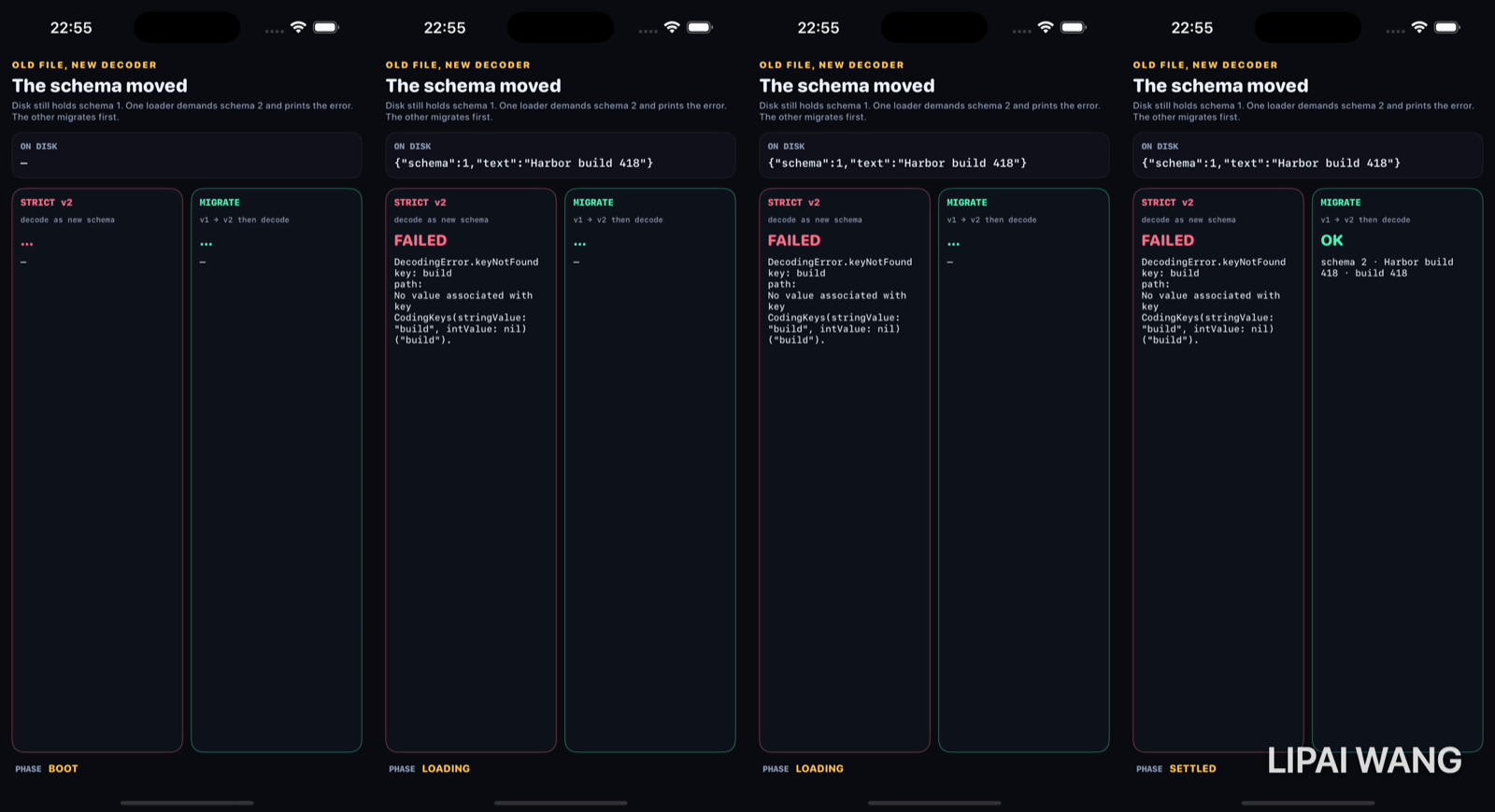
What is actually on disk
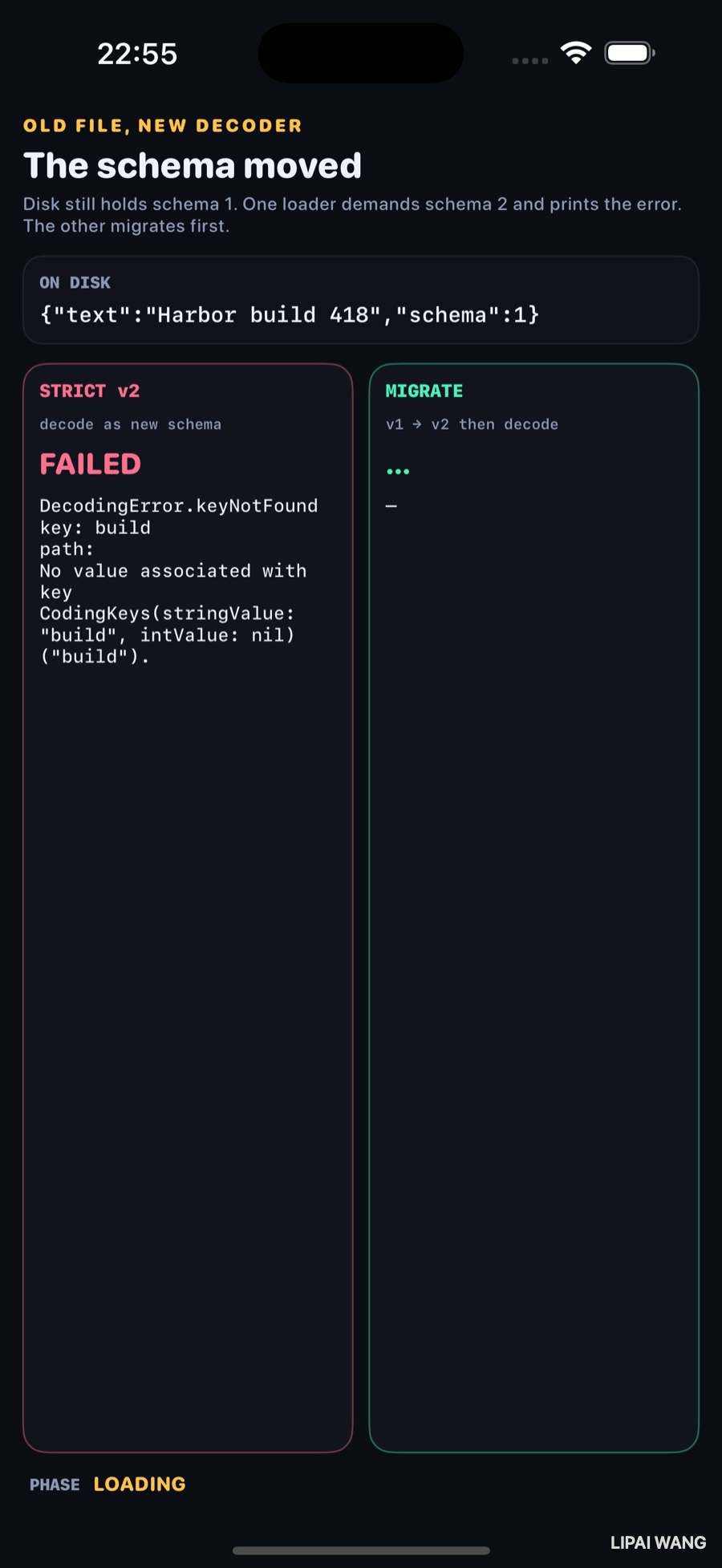
{"text":"Harbor build 418","schema":1}No build field. That is the entire conflict.
Strict v2 — the control
let note = try JSONDecoder().decode(NoteV2.self, from: data)NoteV2 requires schema, text, and build. Feeding it the v1 bytes fails. The still prints the error the runtime threw — not a paraphrase:
DecodingError.keyNotFound
key: build
path:
No value associated with key
CodingKeys(stringValue: "build", intValue: nil) ("build").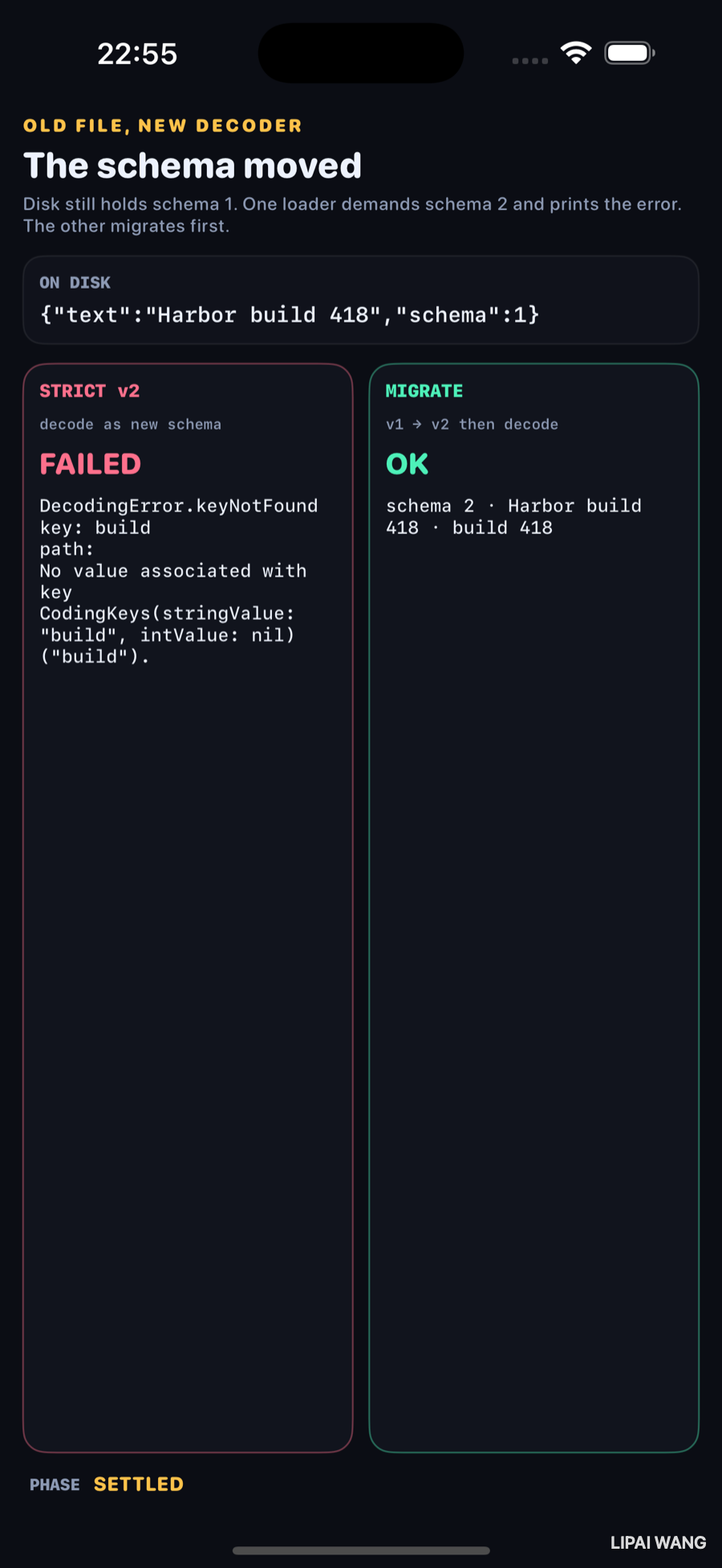
| Loader | Result |
|---|---|
| STRICT v2 | FAILED · keyNotFound · build |
| MIGRATE | OK · schema 2 · Harbor build 418 · build 418 |
ON DISK stays schema 1 in the settled still so the error still matches the bytes. The first build of this bench rewrote the file after migrating, which made the money shot lie — disk said v2 while STRICT still showed a v1 failure. Leaving v1 on disk was the fix.
Chapter 13's JSON card can keep Harbor build 418 forever and still brick the next release if you add a required field and decode with no migration. Persistence without versioning is how "it worked in TestFlight" becomes "everyone's data vanished on update" — the file is there; your decoder refused it.
Migrate — read the version, then map
static func load(_ data: Data) throws -> NoteV2 {
  let probe = try JSONDecoder().decode(SchemaProbe.self, from: data)
  switch probe.schema {
  case 2:
    return try JSONDecoder().decode(NoteV2.self, from: data)
  case 1:
    let v1 = try JSONDecoder().decode(NoteV1.self, from: data)
    let build = Int(v1.text.split(separator: " ").last ?? "0") ?? 0
    return NoteV2(schema: 2, text: v1.text, build: build)
  default:
    throw MigrationError.unsupportedSchema(probe.schema)
  }
}
The build number 418 is parsed from the v1 text for this demo. In a shipping app that value would come from a real field or a mapping model — the point is the branch on schema, not the parse.
The Versioning & Migration chapter talks about inferred mapping models and flags on a Core Data stack. This bench uses Codable so the failure text fits in a still. The knowledge point is identical: old store + new model ⇒ automatic upgrade when the change is safe, or an explicit map / a hard error when it is not. Here the unsafe change is a new required key, and the hard error is keyNotFound.
Mini-exercise
Add "build": 0 to the seeded v1 JSON by hand (still schema: 1). Re-run. STRICT may now succeed while lying about the schema version — proof that checking schema beats hoping the keys look right.
Challenges
- Add schema 3 with a renamed field and show both a failing strict decode and a two-step migrator (1→2→3).
- Re-enable writing the migrated v2 back to disk, then launch a third panel that only knows v2 — photograph the clean load.
- Throw on
schema == 1with no migrator and show your own error string next toDecodingError. - Port the same two-column UI onto a Core Data store with
NSMigratePersistentStoresAutomaticallyOptionoff vs on, and quote the NSError. - XCUITest: assert the STRICT card's static text contains
keyNotFoundand the MIGRATE card containsbuild 418.
Key Points
- Old bytes + new required fields ⇒ decode failure unless you migrate.
- Observed STRICT error:
DecodingError.keyNotFoundforbuild. - Observed MIGRATE result:
schema 2 · Harbor build 418 · build 418. - ON DISK in the money shot stays
schema:1so the error matches the file. - Probe
schemafirst; do not assume the newest struct can read every historical file. - Codable migration here stands in for Core Data lightweight/manual mapping — same decision, smaller screenshot.
- Rewriting the file mid-demo made the first still dishonest; the control needs the pre-migration bytes.
- Chapter 13 without versioning is how relaunch survival becomes update-time data loss.
Next up: lists at scale — 10,000 rows in List vs LazyVStack vs eager VStack, with the ch6 body-run counter and a frame-time readout.
Read next
Ship your apps faster
When you're ready to publish your Swift app to the App Store, Simple App Shipper handles metadata, screenshots, TestFlight, and submissions — all in one place.
Try Simple App Shipper