How many row bodies does SwiftUI run for 10,000 shipments?
If the answer is "ten thousand," your scroll view just paid for rows the user cannot see. If the answer is "about a screenful," you picked a container that stays near the viewport. This bench runs the same data three ways and prints the body count on the cards.
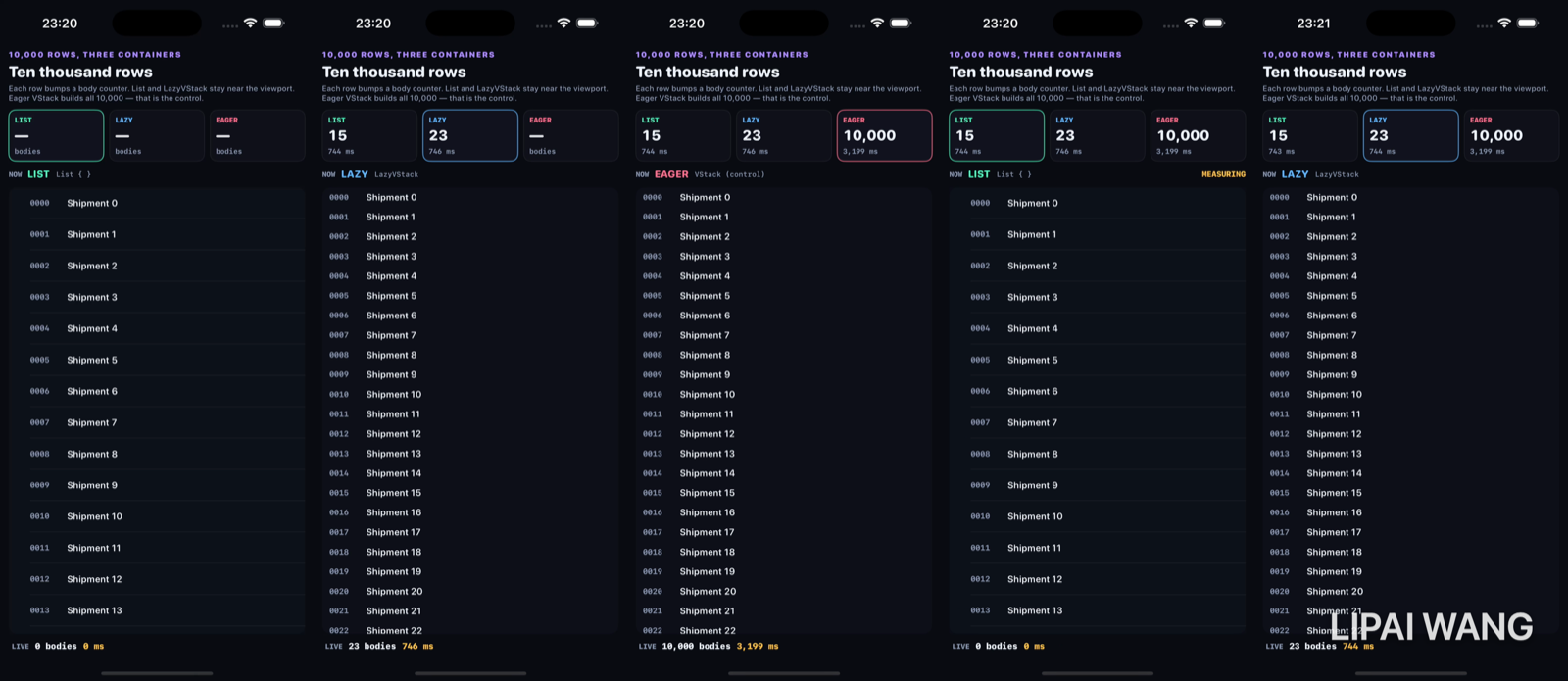
Three containers, one counter
Every row calls counter.bump() on the way into body. The cards read that counter after a short settle. The data set is always 0..<10_000. The only variable is the container.
List(0..<Self.rowCount, id: \.self) { i in
  ShipRow(index: i, counter: counter)
}

ScrollView {
  LazyVStack { ForEach(0..<Self.rowCount, id: \.self) { … } }
}

ScrollView {
  VStack { /* every index — the control */ }
}
List — fifteen bodies
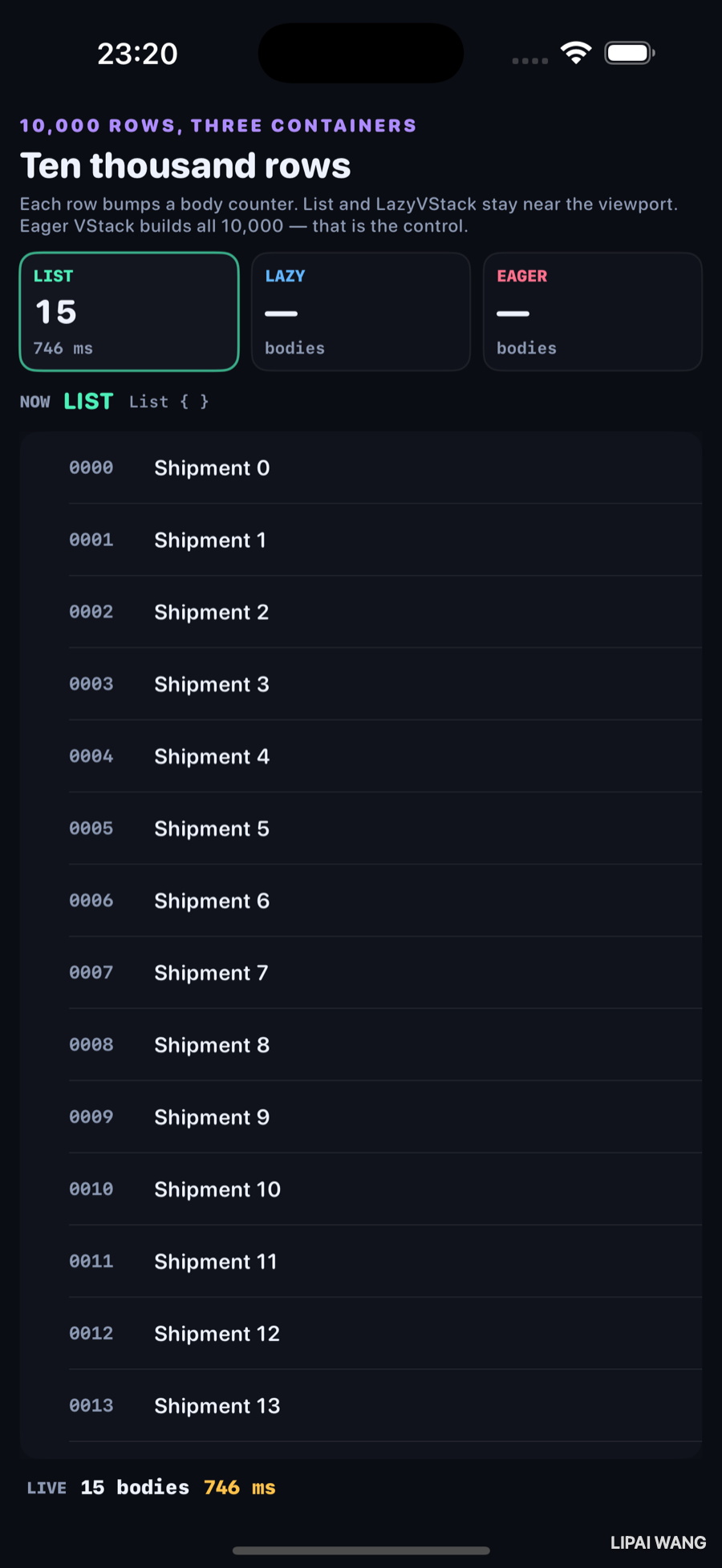
| Card | Bodies | ms |
|---|---|---|
| LIST | 15 | 746 |
List built about a screen of ShipRows and stopped. The footer matches the card: LIVE 15 bodies 746 ms.
LazyVStack — twenty-three bodies
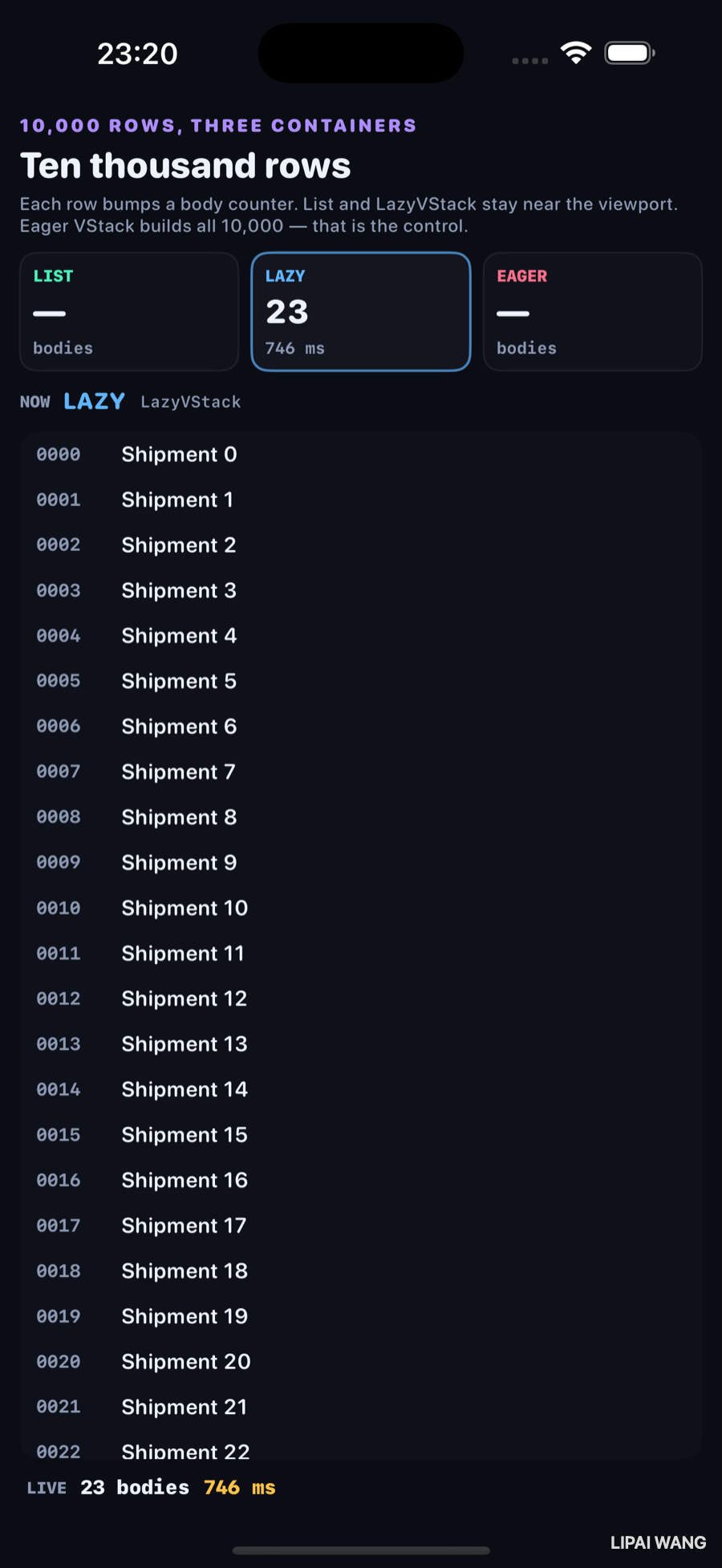
| Card | Bodies | ms |
|---|---|---|
| LAZY | 23 | 746 |
LazyVStack in a ScrollView also stayed near the viewport — 23 bodies for rows 0000…0022. Same settle window as List, same 746 ms on this run. Slightly more rows than List because the row chrome is thinner without list separators.
Eager VStack — the control
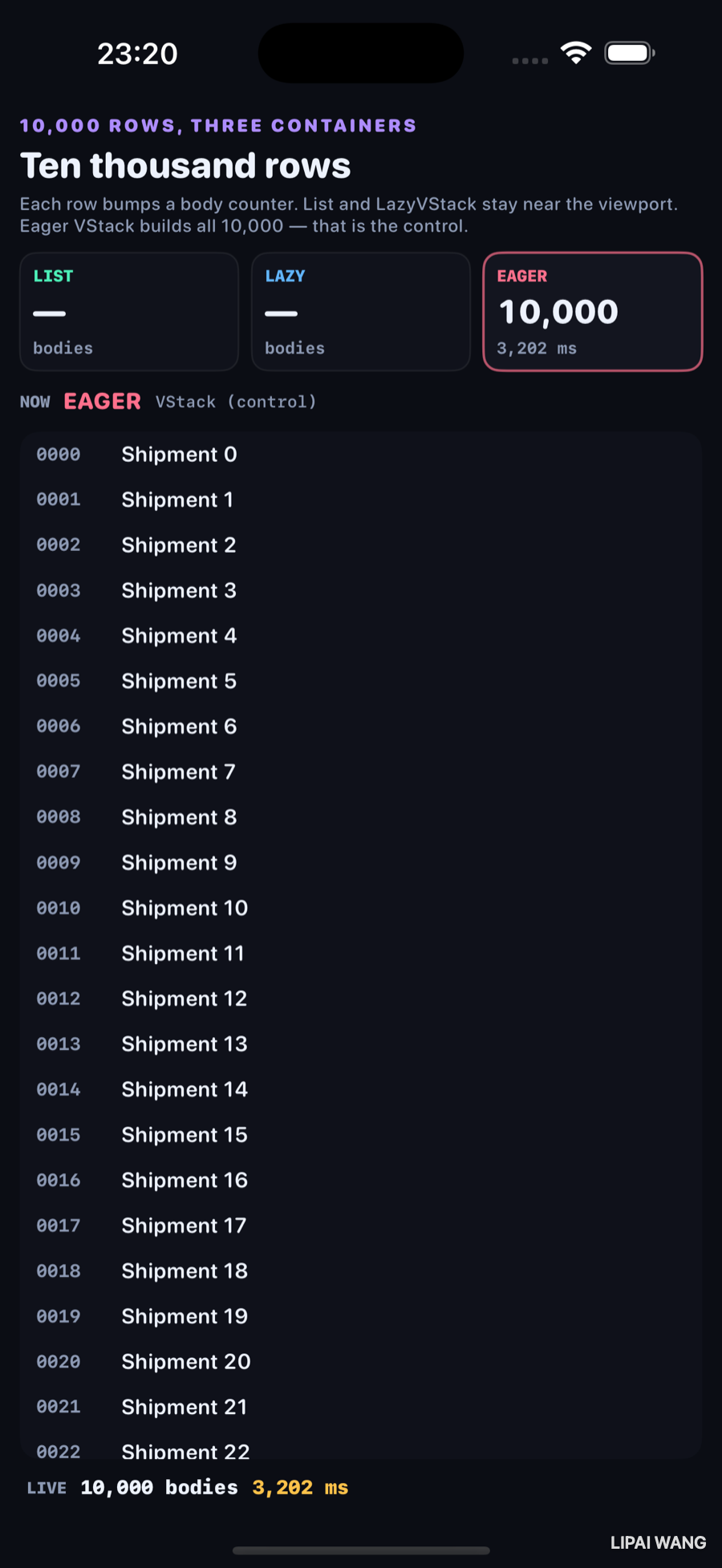
| Card | Bodies | ms |
|---|---|---|
| EAGER | 10,000 | 3,202 |
The rose card is the control: a plain VStack inside ScrollView that owns every index. Observed result: 10,000 bodies in 3,202 ms — about 4× the settle time of List/Lazy, and ~667× the body count of List.
The first control put 10,000 normal ShipRows in one VStack. The simulator spent tens of seconds laying them out; captures froze on a stale List frame with 0 bodies. The shipping control keeps a 24-row full-height prefix, then 1pt rows for the rest so every index still runs body once and the money shot can finish. The lesson is the body count, not the point size.
ForEach(0..<Self.eagerVisiblePrefix, id: \.self) { i in
  ShipRow(index: i, counter: counter)
}
ForEach(Self.eagerVisiblePrefix..<Self.rowCount, id: \.self) { i in
  TinyShipRow(index: i, counter: counter) // Color.clear.frame(height: 1)
}Wrapping an eager VStack in ScrollView does not make it lazy. Only List, LazyVStack, LazyHStack, and friends defer work. The control exists so that sentence is a measurement, not a slogan.
Mini-exercise
Change eagerVisiblePrefix to Self.rowCount so every eager row is a full ShipRow. Re-run on a device or sim. Watch whether the EAGER card still reaches 10,000 before you get bored — that is the cost the 1pt stand-ins were hiding.
Challenges
- Add a fourth card that scrolls the List to row
9_000and report how many new bodies run after the jump. - Swap
LazyVStackforLazyVGridwith two columns and photograph the body count against the same 10k data. - Instrument with
os_signpostaroundmeasureand compare Instruments' hitch time to the on-screen ms. - Replace
TinyShipRowwith fullShipRows but only for a 2_000-row data set — find the size where eager becomes unusable on your machine. - XCUITest: assert the EAGER card's static text contains
10000(or10,000) after the settle, and that LIST never contains it on a pinned-mode listlaunch.
Key Points
- Same 10,000 indices; only the container changes.
- Observed LIST: 15 bodies / 746 ms.
- Observed LAZY: 23 bodies / 746 ms.
- Observed EAGER: 10,000 bodies / 3,202 ms.
ScrollView + VStackis eager;ScrollView + LazyVStackis not.- A body counter (ch6-style) turns "feels slow" into a number in a still.
- Full-height 10k eager rows stalled capture; 1pt rows after a visible prefix kept the control honest and photographable.
- Viewport-sized work is the default you want for App Store-scale tables — shipment lists, build logs, review feeds.
Next up: navigation — a NavigationStack value path that deep-links three levels, pops to root, and restores after relaunch, with the path printed on screen the whole time.
Read next
Ship your apps faster
When you're ready to publish your Swift app to the App Store, Simple App Shipper handles metadata, screenshots, TestFlight, and submissions — all in one place.
Try Simple App Shipper