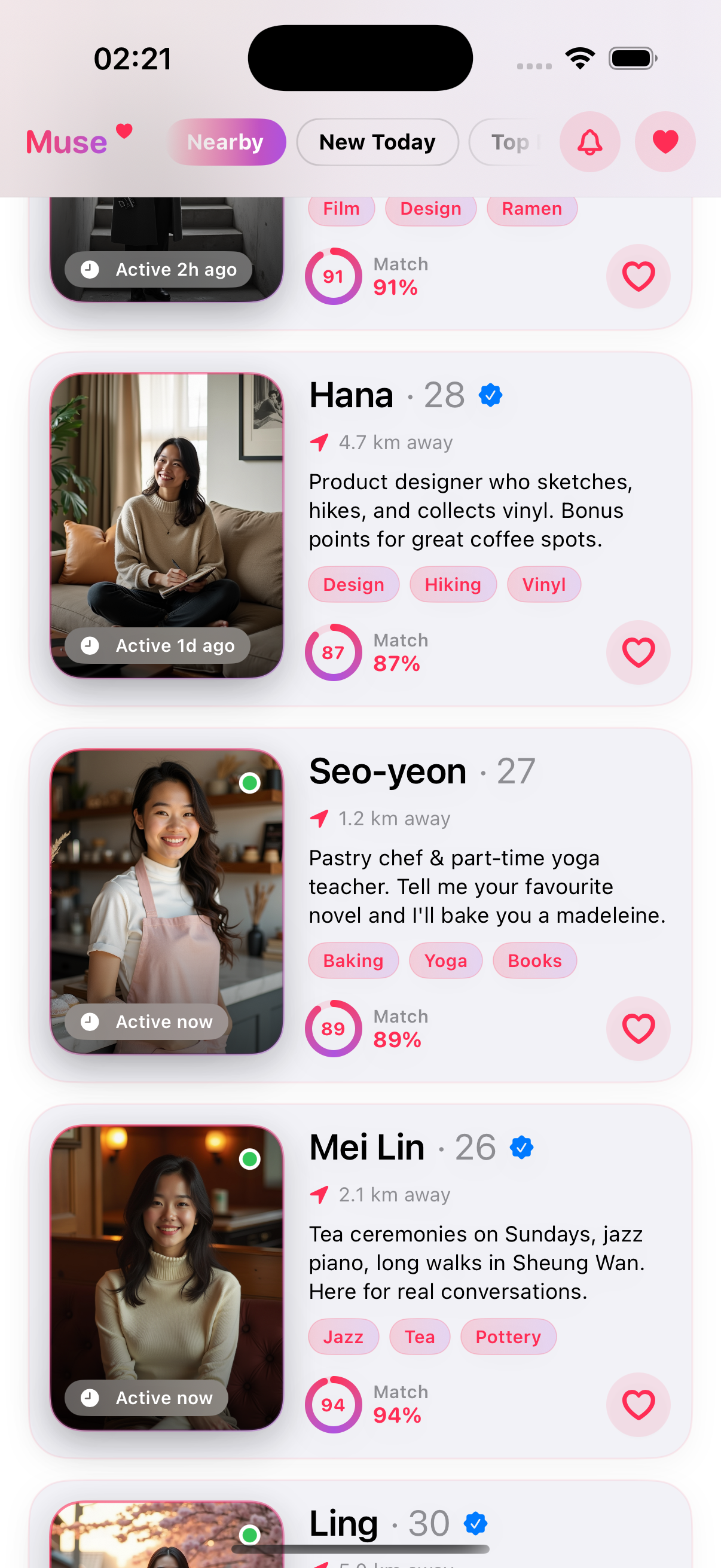
Build Muse — a modern SwiftUI dating-app UI,
from zero to ship.
7-chapter senior-dev tutorial with live renders at every step. Parallax hero, compact iOS nav chrome, match rings, material blur, smoothstep easing, Dynamic Type, accessibility, haptics, and a full AI-generated watermarked asset pipeline.
Creative Studio Assets NEW
Browse by screen type
Jump into the most common captured screen families, with counts and real examples from the library.
Browse by component pattern
Study reusable interface pieces like buttons, cards, text fields, sheets, tabs, charts, and maps across real captured app screens.
Browse apps by market
Narrow the inspiration library by app category before studying screens, flows, and copy patterns.
Browse screens by UX pattern
Jump straight to onboarding, paywalls, checkout, search, settings, and other reusable mobile patterns across the captured app library.
Find screens by the words that appear on them. Tap a button label to search visible screenshot copy + AI text metadata.
Open dedicated text searchStudy full app journeys
Browse onboarding, signup, purchase, search, and settings sequences as multi-step journeys instead of disconnected screenshots.
Open dedicated flow explorerHow It Works
Browse Apps
Search by name or category to find design inspiration.
View Screenshots
See real onboarding flows, paywalls, settings, and more.
Analyze Patterns
Learn from quality scores and intelligence radar charts.