Every animation in this series so far has been SwiftUI interpolating something it already understood — a frame, an offset, an opacity, a colour. Chapter 1 borrowed that machinery for a number by conforming a view to Animatable. This chapter is about the case where there is nothing to interpolate at all, because the thing that changes is a drawing.
You cannot be halfway between a triangle and an octagon. There is no arithmetic that turns one Path into another. So SwiftUI does the only reasonable thing: it refuses, and hands the problem back to you in the most useful possible form — a single number, delivered once per frame.
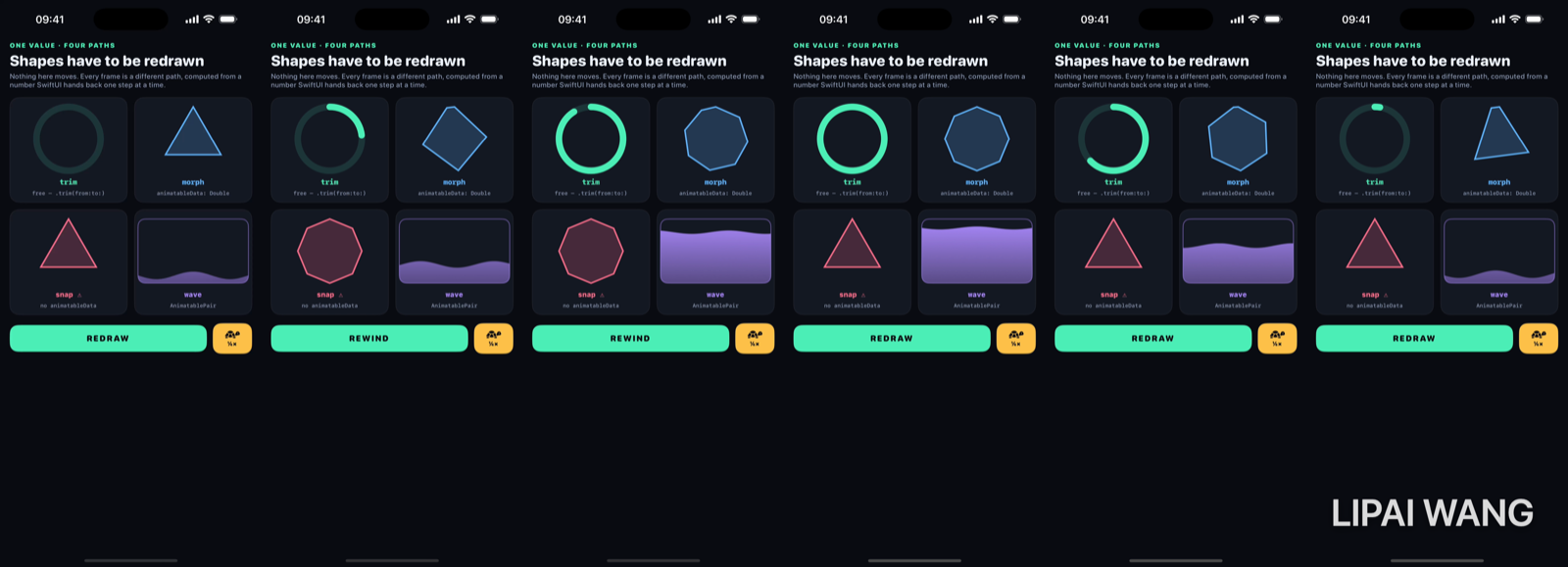
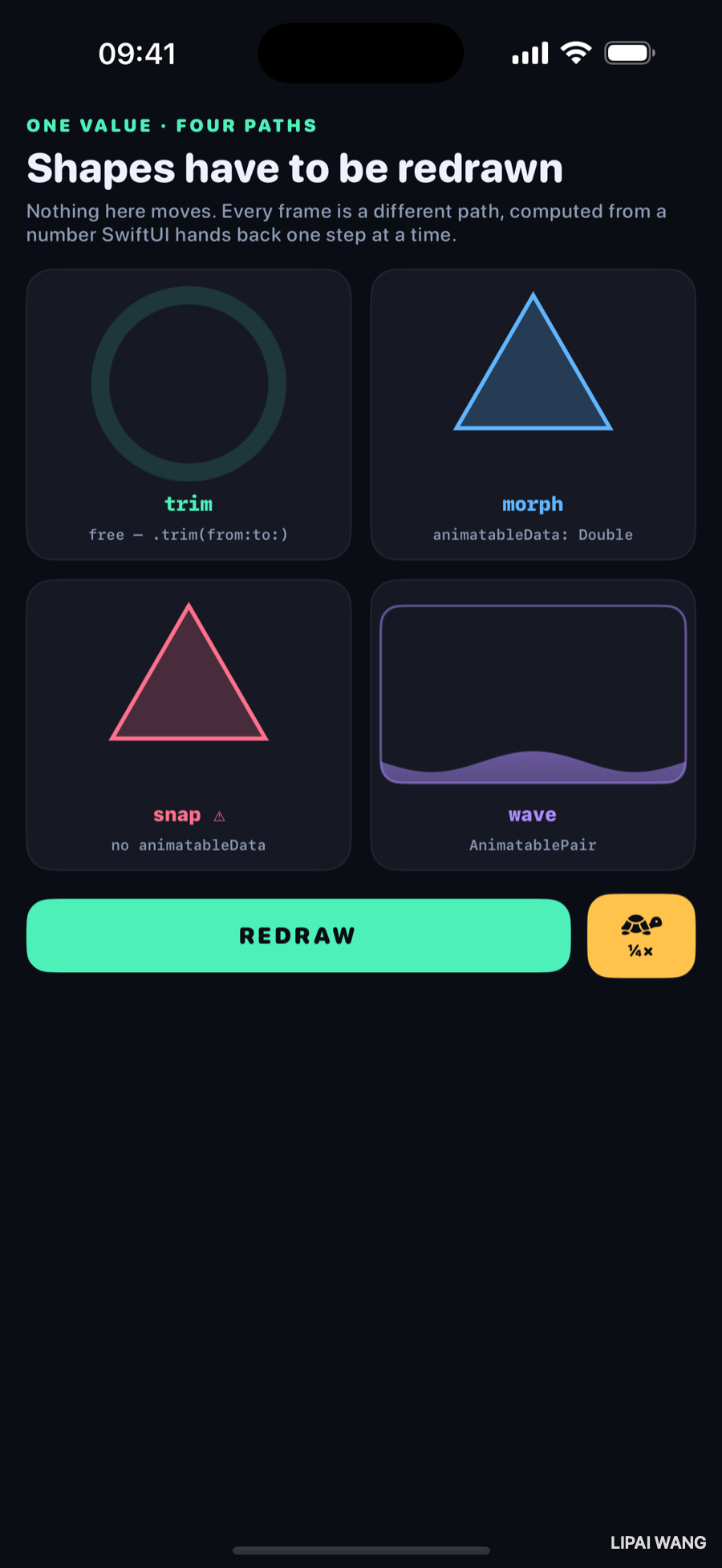
Four cells, one state change. Nothing on this screen moves — every frame is a different path, computed from scratch.
The protocol, and its one requirement
protocol Animatable {
  associatedtype AnimatableData: VectorArithmetic
  var animatableData: AnimatableData { get set }
}
That is the entire protocol. One property, and its type has to conform to VectorArithmetic — which is to say SwiftUI has to be able to add it, subtract it, and scale it. Those three operations are all interpolation needs. Double, CGFloat, CGPoint, CGSize, EdgeInsets and friends already conform.
The mechanism is worth stating plainly because it explains everything else in this chapter:
animatableData to a slightly different number, sixty times a second, and asks you to draw.Your path(in:) is called on every frame of the animation with whatever intermediate value the curve produced. The animation type — linear, easeOut, spring — only affects which numbers arrive, and in what order. Your drawing code never knows or cares which one is running.
That indirection is why one Shape implementation works with every animation in the library, including ones that did not exist when you wrote it.
Shape already conforms — that's the catch
Shape inherits from Animatable, so every shape you have ever written already has an animatableData. It defaults to EmptyAnimatableData, which is a polite way of saying nothing here animates.
Which is exactly why the failure is silent. Here are two shapes with identical path maths:
struct MorphPolygon: Shape {
  var sides: Double

  var animatableData: Double {
    get { sides }
    set { sides = newValue }
  }

  func path(in rect: CGRect) -> Path { Path.polygon(in: rect, sides: sides) }
}

struct SnapPolygon: Shape {
  var sides: Double

  func path(in rect: CGRect) -> Path { Path.polygon(in: rect, sides: sides) }
}
The difference is four lines that look like boilerplate. Here is what those four lines buy, caught mid-flight:
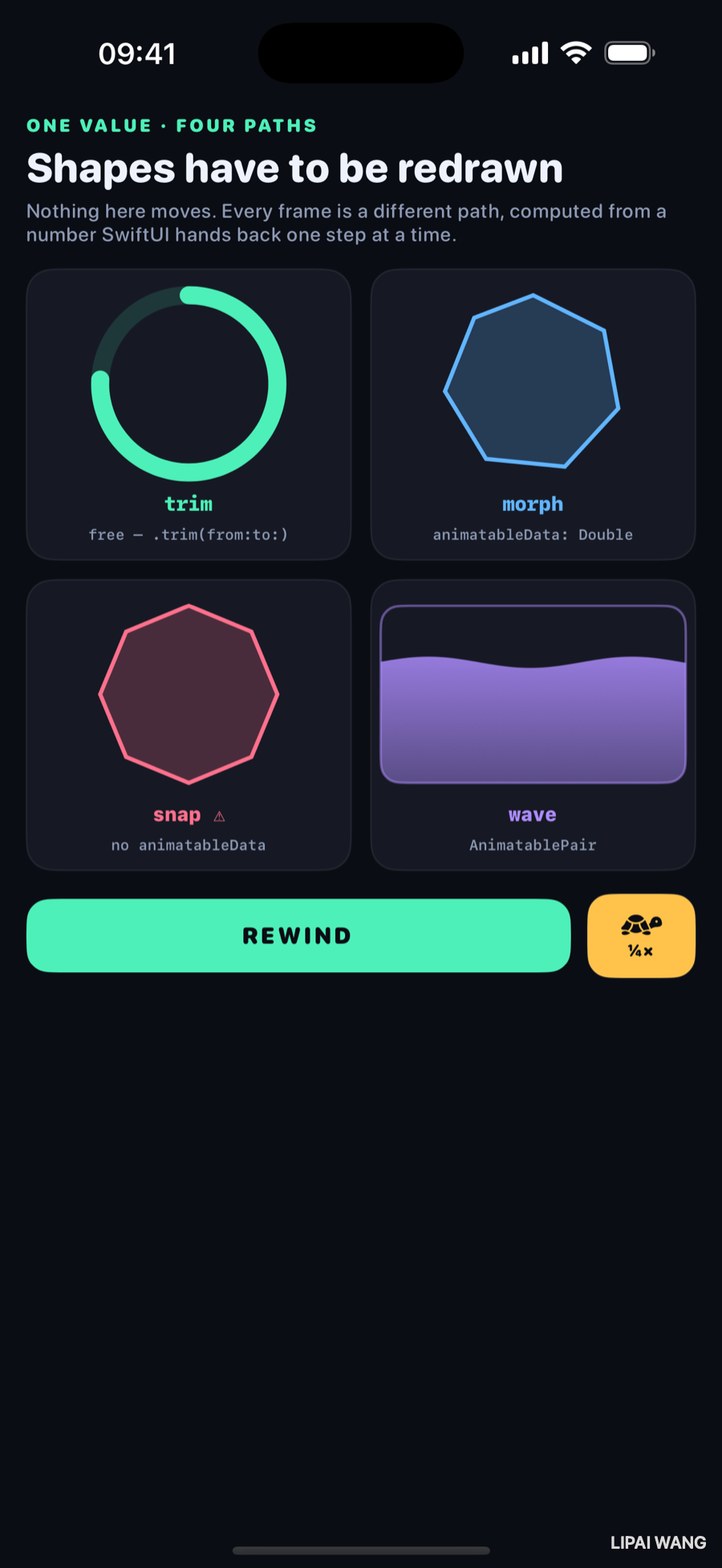
morph is a lopsided six-and-a-bit-sided figure — a genuine intermediate state. snap is already an octagon, and has been since the first frame. It is not animating badly; it is not animating at all.
animatableData does not fail loudly. It arrives early.There is no warning and no error. sides is set to its new value immediately — same as any other state — and since nothing asked SwiftUI to interpolate it, the shape is simply drawn at the destination. Every frame of the "animation" is the final frame.
If a shape of yours jumps while everything around it animates, this is the first thing to check, and the fix is those four lines.
Mini-exercise
Delete the animatableData property from MorphPolygon and run the bench. The two cells become indistinguishable. Put it back. Then try renaming it to animatableValue — it still compiles, because you are no longer satisfying a requirement, you are just adding a property nobody reads. That silent near-miss is worth experiencing once.
The question a continuous value forces on you
Accepting sides as a Double is easy. Deciding what 4.37 sides means is the actual work, and SwiftUI cannot help — it is a drawing question, not an animation one.
/// Vertices sit at `2π · i / sides`. When `sides` is not a whole number the
/// last vertex lands short of a full turn, so it sits *on top of* vertex zero
/// and then peels away as the count grows. That is what a 4.37-sided polygon
/// is: the question SwiftUI hands back to you the moment you accept a
/// continuous value for something that was conceptually an integer.
static func polygon(in rect: CGRect, sides: Double) -> Path {
  let count = max(3.0, sides)
  let whole = Int(count.rounded(.down))
  …
  for index in 0...whole {
    let angle: Double = 2 * .pi * Double(index) / count - .pi / 2
    …
  }
}
Dividing the full turn by the fractional count rather than the whole one is the whole idea. At exactly 5 sides you get a regular pentagon. At 5.4 you get six vertices, where the sixth has travelled 40% of the way out from underneath the first — so a new edge grows out of an existing corner instead of the whole figure jumping.
That asymmetry is visible in the mid-flight frame above, and it is correct. A shape caught between two regular polygons has no reason to be regular itself.
Int(newValue) in your setter truncates, and truncating a value that is being interpolated means the shape holds each integer until the next one is fully reached, then jumps. That is sometimes exactly what you want — a counter, a dice face, a step indicator. Just make it a choice rather than an accident.
When one number is not enough
The wave tank changes two things at once: how full it is, and how far the wave has travelled. AnimatablePair carries exactly two VectorArithmetic values:
struct WaveTank: Shape {
  var level: Double   // 0 empty, 1 full
  var phase: Double   // in wavelengths

  var animatableData: AnimatablePair<Double, Double> {
    get { AnimatablePair(level, phase) }
    set {
      level = newValue.first
      phase = newValue.second
    }
  }
}
.first and .second are the only accessors, and they are how you unpack it in the setter.
Need three? Nest them: AnimatablePair<AnimatablePair<Double, Double>, Double>, and read the third value as newValue.second. Need five? Nest twice more, and reach values through chains like newValue.first.second. It is ungainly and it is genuinely the mechanism — there is no AnimatableTriple. Past three or four values, wrap them in your own VectorArithmetic type rather than counting .first.first.second by hand.
The pair pays off here because the two values are genuinely coupled. As the tank fills, the wave also flattens:
// Calm the wave as the tank fills, so a full tank is a flat one.
let amplitude = 7.0 * (1 - level * 0.75)
That line is only possible because both numbers arrive together, in the same frame, from the same animation. Animating them separately would let them drift out of step.
The one you get for free
The first cell has no custom shape at all:
Circle()
  .trim(from: 0, to: progress)
  .stroke(Lab.mint, style: StrokeStyle(lineWidth: 11, lineCap: .round))
  .rotationEffect(.degrees(-90))
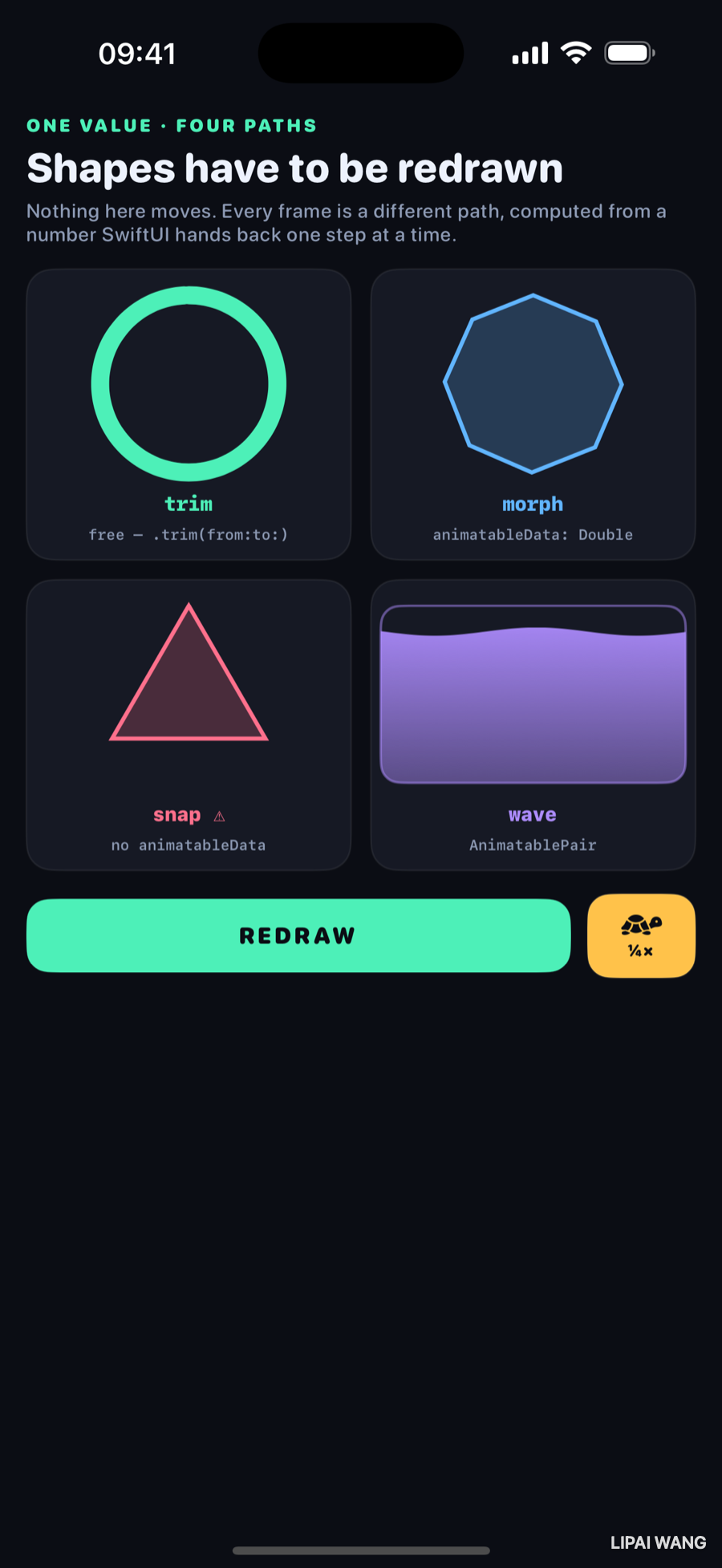
trim(from:to:) takes any shape's path and returns the fraction of it between two points along its length, and — crucially — it is already animatable. Change progress inside an animation and the stroke draws itself on.
trim is the SwiftUI answer to strokeStart and strokeEndIf you have written Core Animation, this is the same idea as animating a CAShapeLayer's strokeEnd from 0 to 1, minus the CABasicAnimation bookkeeping. Animating from: as well as to:, with the from slightly behind, gives you the classic segment chasing itself around a loop.
It works on any shape, not just circles — a Path you drew, a rounded rectangle, a signature. Reach for trim before writing a custom shape; a surprising number of "draw this on" effects need nothing else.
The -90° rotation is there because a Circle's path starts at three o'clock, and every progress ring in the world starts at twelve.
Cost, briefly
path(in:) runs on every frame of every animating shape. The wave here walks the width in two-point steps and takes a sin at each — a couple of hundred operations, sixty times a second, which is nothing.
But the shape of the risk is worth knowing: the expense of an animated shape is per frame, not per state change. Anything you can hoist out of path(in:) — a lookup table, a precomputed vertex list, a cheaper curve — pays back sixty times a second while the animation runs. If a shape animation stutters, that function is where to look first.
Challenges
-
Add a star. Write a
Starshape with an animatablepoints: Doubleand an animatableinnerRatio: Double, usingAnimatablePair. Animate a rating filling in and watch the star sharpen as it does. -
Make the truncation visible. Change
MorphPolygon's setter tosides = newValue.rounded(). The morph becomes a series of clean jumps between regular polygons — which is a legitimate effect. Decide which of the two you would ship for a step indicator, and why. -
Chase the tail. Animate the ring's
trim(from:)as well, running about 0.15 behindto:. You now have a segment running a lap rather than a ring filling — the classic indeterminate spinner, in four lines and no custom shape. -
Break the pair. Give
WaveTanktwo separateDoubleproperties and animate them in two separatewithAnimationcalls with different durations. Watch the wave and the level fall out of step, and note that nothing warns you. -
Profile the wave. Change its step from 2 points to 0.5 and then to 8, and look at what each costs and what each looks like. Somewhere in there is the cheapest step that still reads as a smooth curve, and finding it is the whole discipline.
Key Points
Animatablehas one requirement:animatableData, whose type must beVectorArithmetic— addable, subtractable, scalable. That is all interpolation needs.- SwiftUI does not animate a shape. It hands you a slightly different number each frame and calls
path(in:)again. That indirection is why one shape works with every animation type. Shapealready conforms, defaulting toEmptyAnimatableData— so a missinganimatableDatafails silently, drawing the destination on every frame instead of warning you.- A continuous value for a discrete quantity is a design question. Dividing the turn by the fractional side count grows a new edge out of an existing corner; truncating in the setter gives clean jumps instead. Both are valid; pick deliberately.
AnimatablePaircarries two values, reached as.firstand.second, and nests for more. Past three or four, write your ownVectorArithmetictype.- Coupled values belong in one pair. The wave flattens as it fills only because both numbers arrive in the same frame from the same animation.
trim(from:to:)is free and works on any shape — the SwiftUI replacement forstrokeStart/strokeEnd. Try it before writing a custom shape.path(in:)is a per-frame cost. Hoist anything you can out of it.
That closes the motion arc: values, arrivals, handoffs, and now drawings. The next bench steps away from animation entirely and into the thing every one of these chapters quietly depended on — how SwiftUI decides that two renders are the same view or two different ones. Identity is what makes a transition fire, a matched pair link up, and an animation continue instead of restarting, and it is invisible until it is wrong.
Read next
Ship your apps faster
When you're ready to publish your Swift app to the App Store, Simple App Shipper handles metadata, screenshots, TestFlight, and submissions — all in one place.
Try Simple App Shipper