Charts don’t invent numbers. They invent emphasis.
One Harbor week of builds sits in the strip. Three frames reuse it. Only one is honest.
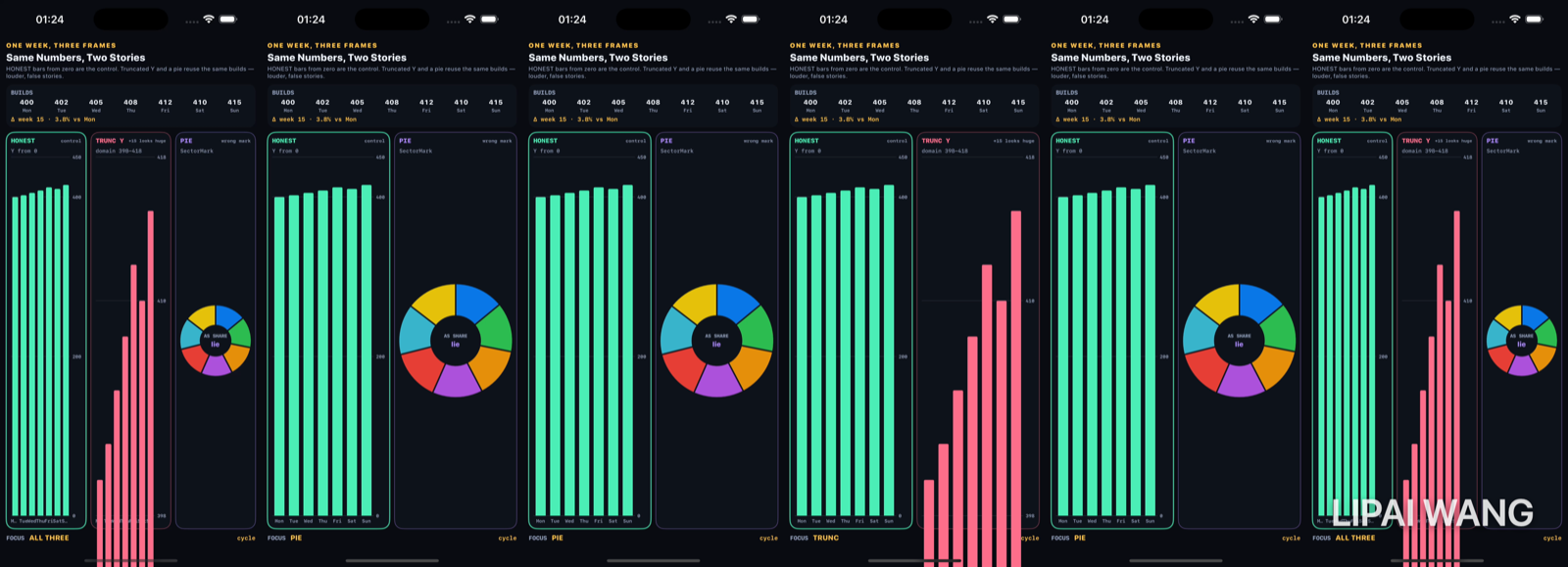
The numbers
| Mon | Tue | Wed | Thu | Fri | Sat | Sun |
|---|---|---|---|---|---|---|
| 400 | 402 | 405 | 408 | 412 | 410 | 415 |
Observed strip: Δ week 15 · 3.8% vs Mon.
All three — one still
-mode all
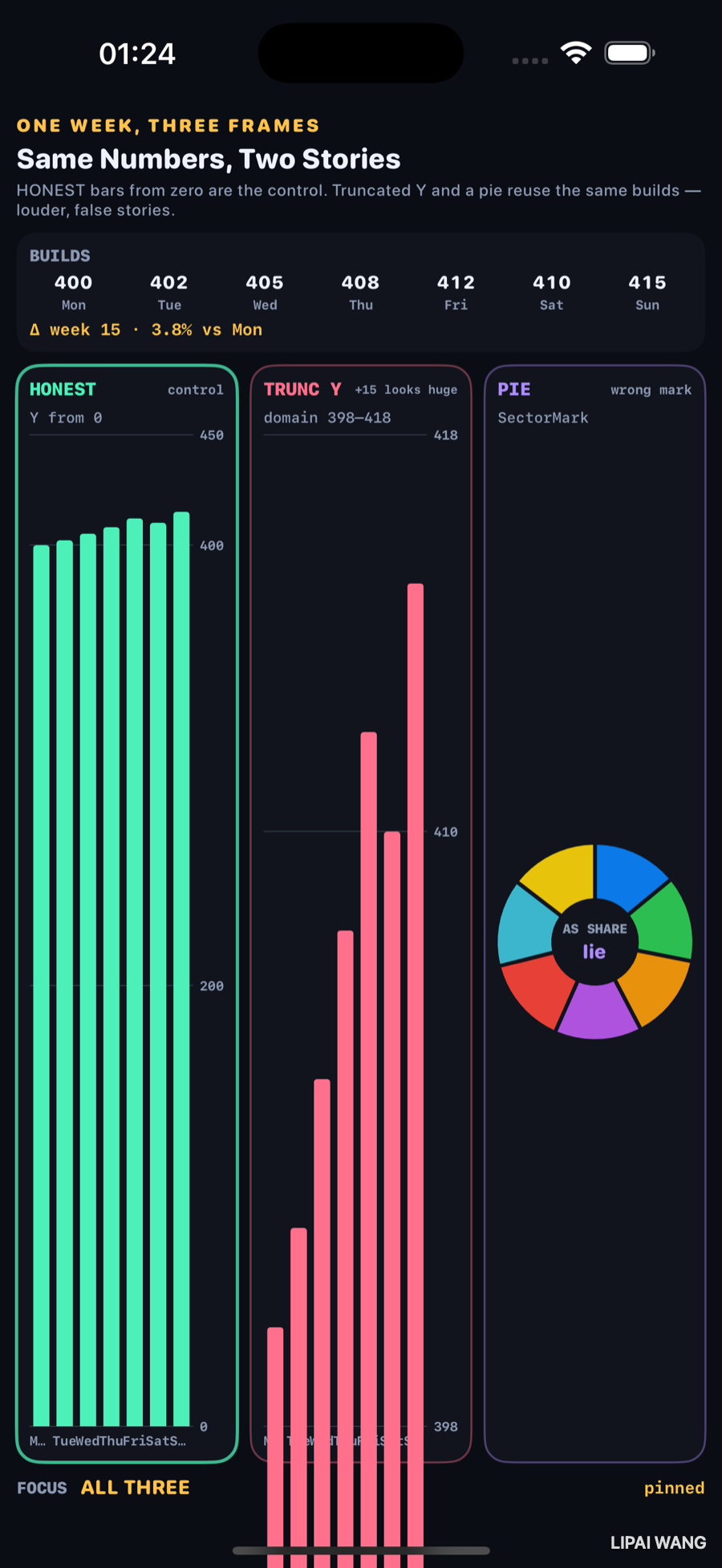
HONEST bars climb a little above a tall baseline — growth is quiet. TRUNC Y makes Monday a stub and Sunday a tower. PIE turns a time series into fake “shares.”
Truncated Y — the classic lie
-mode trunc
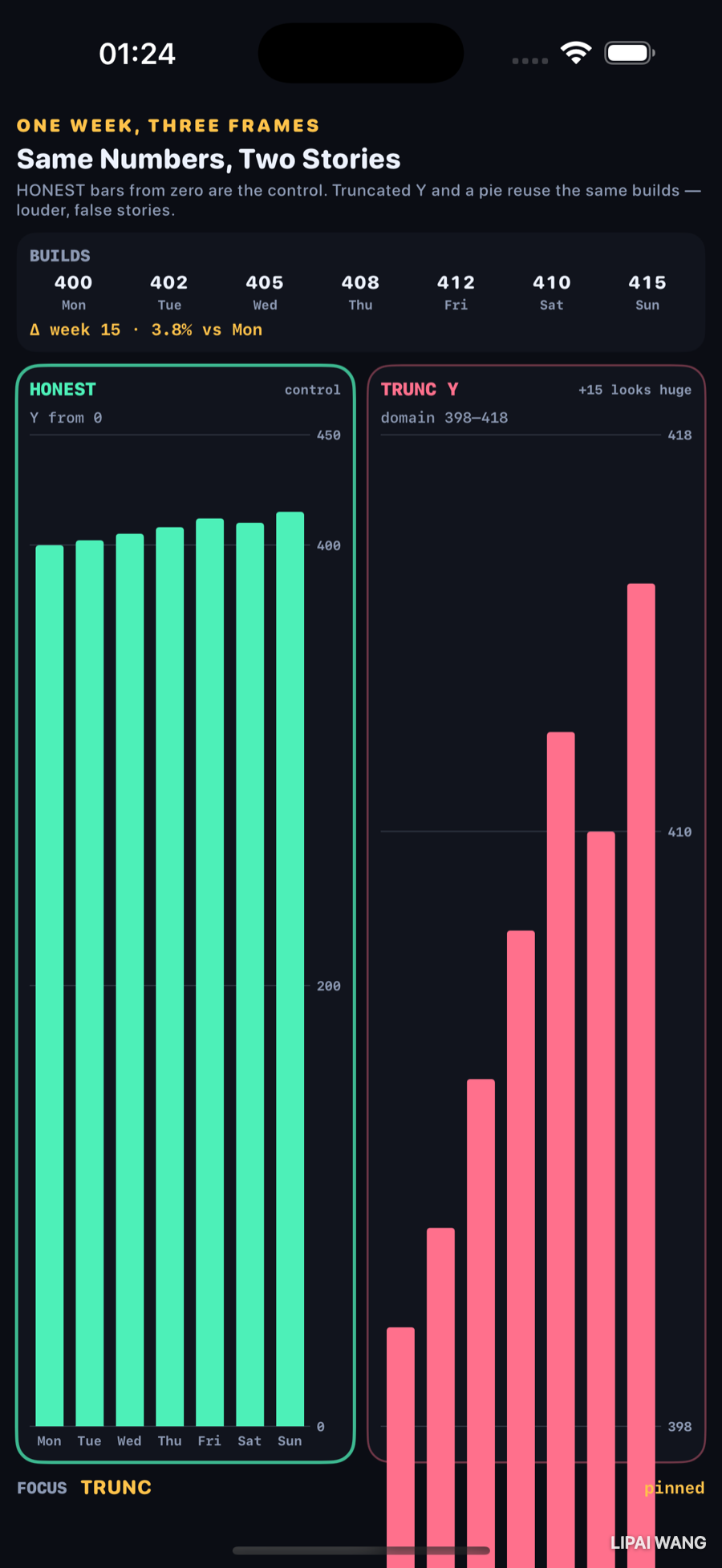
| Frame | Y domain | Story |
|---|---|---|
| HONEST (control) | 0…450 | +15 is a nudge |
| TRUNC Y | 398…418 | +15 looks like a cliff |
Same BarMarks. One line of .chartYScale(domain:) is the whole trick.
Pie — wrong mark
-mode pie
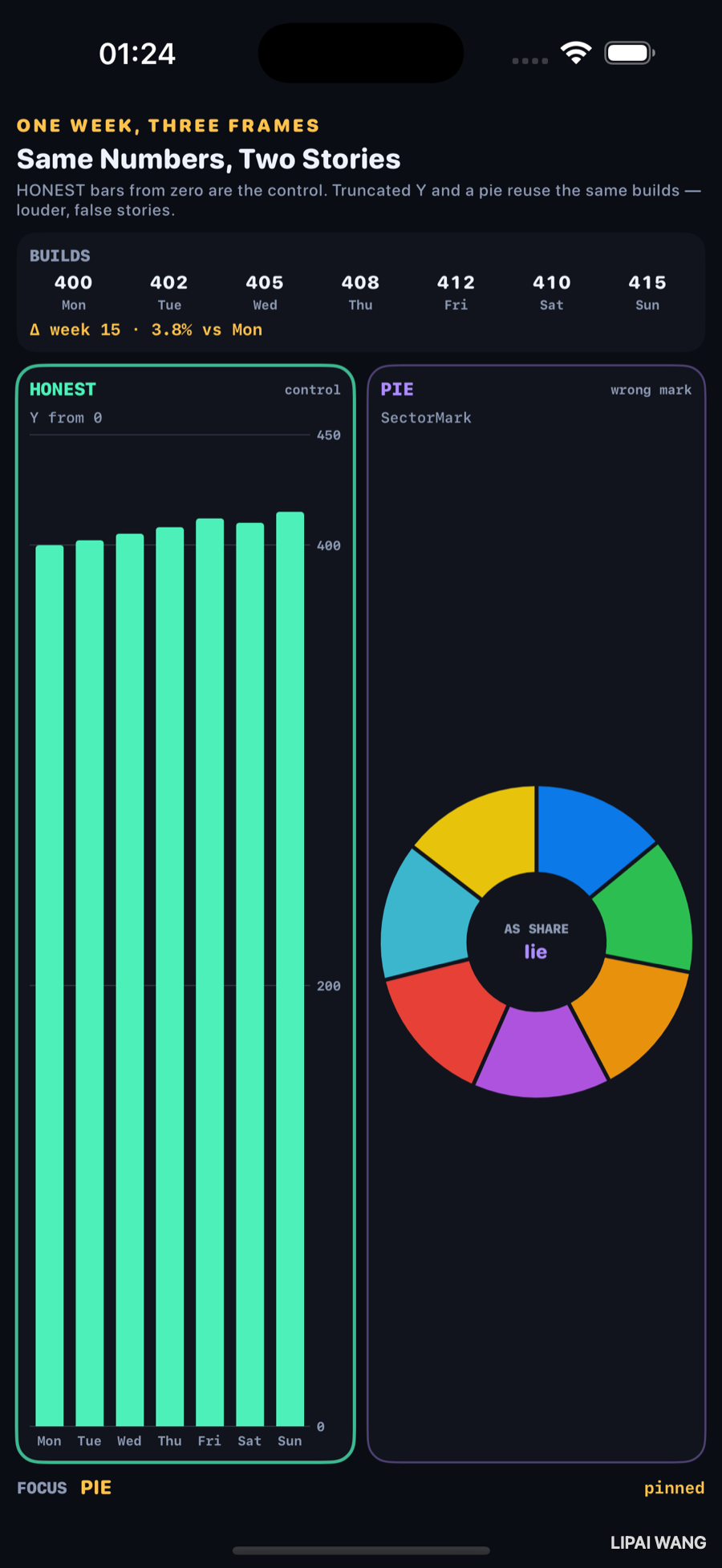
Days are not parts of a whole. SectorMark implies they are. The donut hole says it out loud: AS SHARE / lie.
If the control and the truncated chart ever disagreed on the printed Δ, the demo would be cheating. They don’t — 15 and 3.8% stay fixed while the ink changes.
Mini-exercise
Change truncMin from 398 to 0. The rose chart should suddenly look like the mint one.
Challenges
- Add a LINE panel with a dual axis that maps builds to a 0–100 “index” without labeling the transform.
- Animate the Y domain from honest → truncated over two seconds so the lie unfolds live.
- Replace PIE with an area chart that fills to zero on a truncated domain.
- Export both bar charts as PNGs and diff pixel histograms.
- XCUITest: assert the strip shows
3.8%under-mode all.
Key Points
- Observed builds: 400…415, Δ 15 · 3.8%.
- HONEST from 0 is the control.
- TRUNC domain 398–418 makes the same Δ look huge.
- PIE /
SectorMarkis the wrong mark for a week of counts. - The dataset strip is the third witness — numbers before ink.
- Swift Charts makes the lie one scale modifier away.
Next up: Widgets — timeline entries drawn as a filmstrip of future states.
Read next
Ship your apps faster
When you're ready to publish your Swift app to the App Store, Simple App Shipper handles metadata, screenshots, TestFlight, and submissions — all in one place.
Try Simple App Shipper