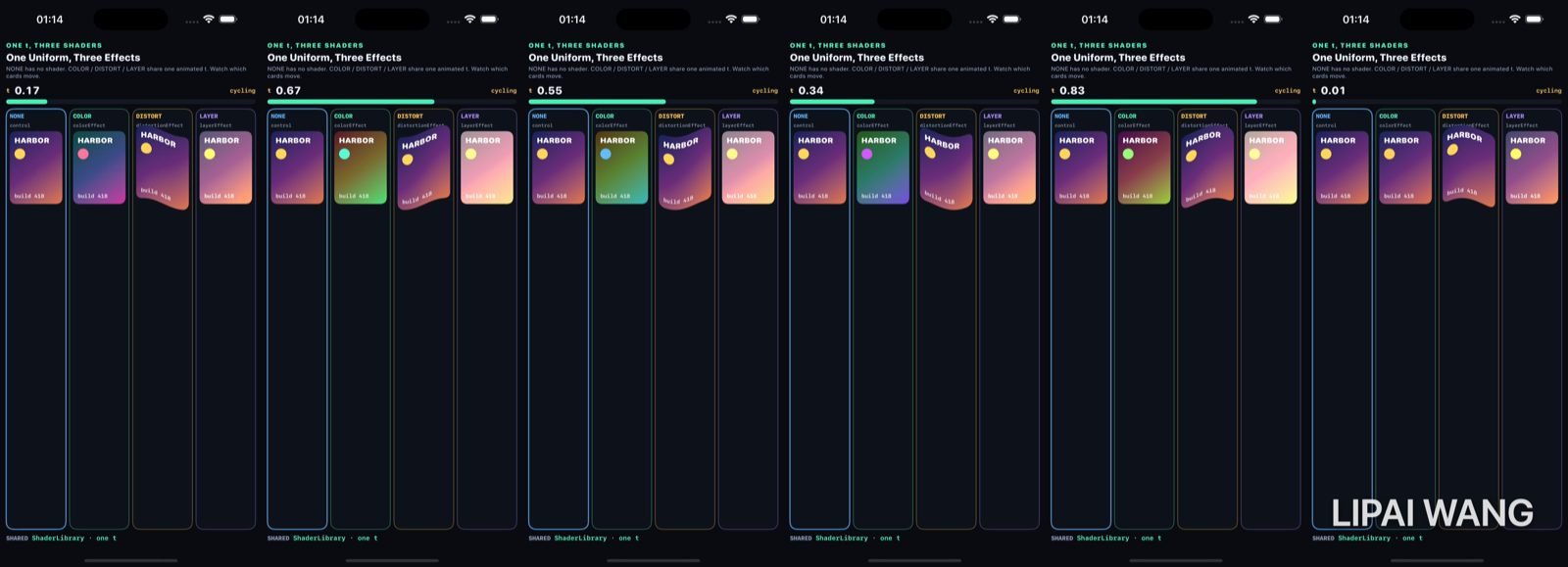
Three SwiftUI shader modifiers. One animated float. If the unmodified card ever moves with t, the demo is broken.
t = 0.00
-mode t0
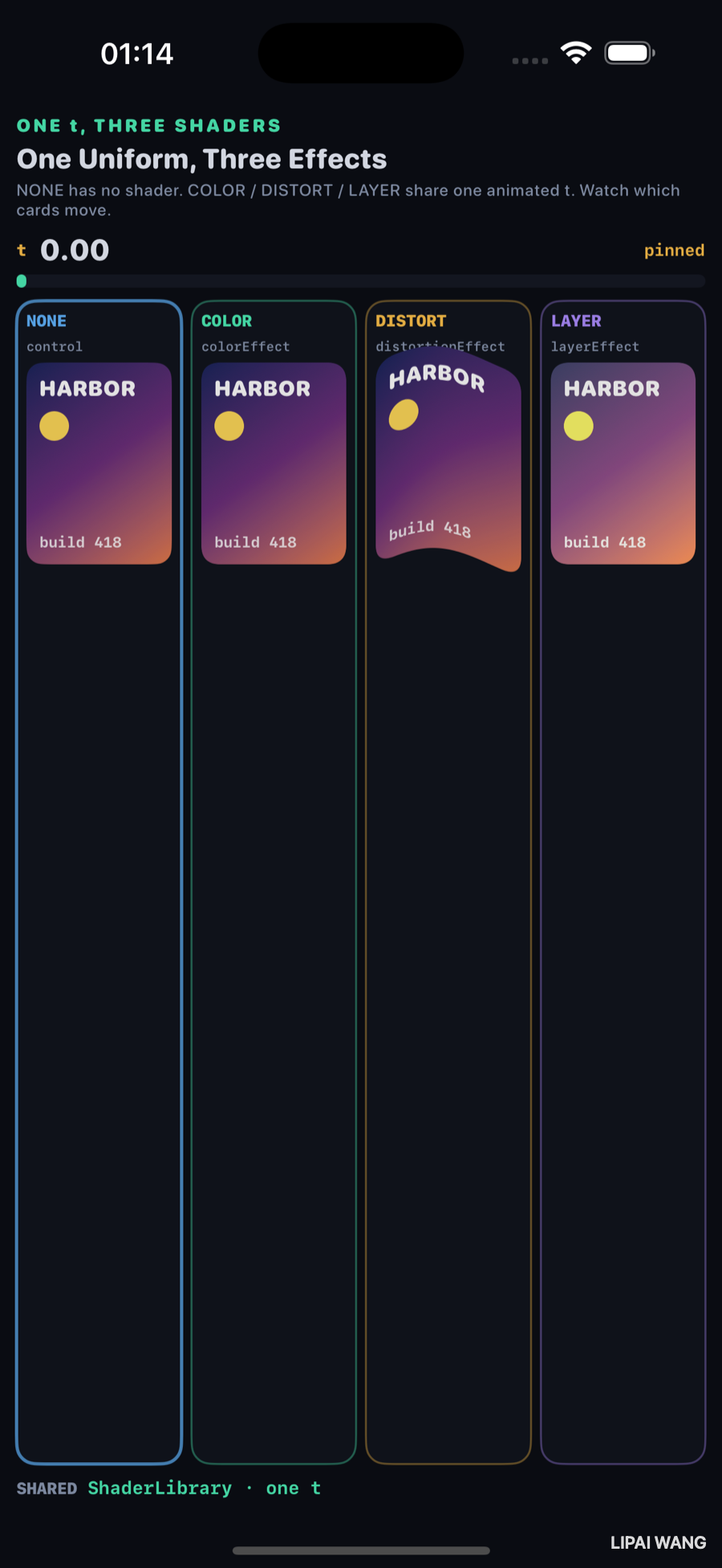
| Column | Modifier | At t = 0.00 |
|---|---|---|
| NONE | — (control) | purple→orange, yellow beacon |
| COLOR | colorEffect | matches NONE (hue identity) |
| DISTORT | distortionEffect | wavy edges — spatial sine still runs at phase 0 |
| LAYER | layerEffect | near NONE (glow lift ≈ 0.15) |
Distortion is not “off” at zero — sin(x + t·2π) still waves in x. t only slides the phase.
t = 0.35
-mode t35
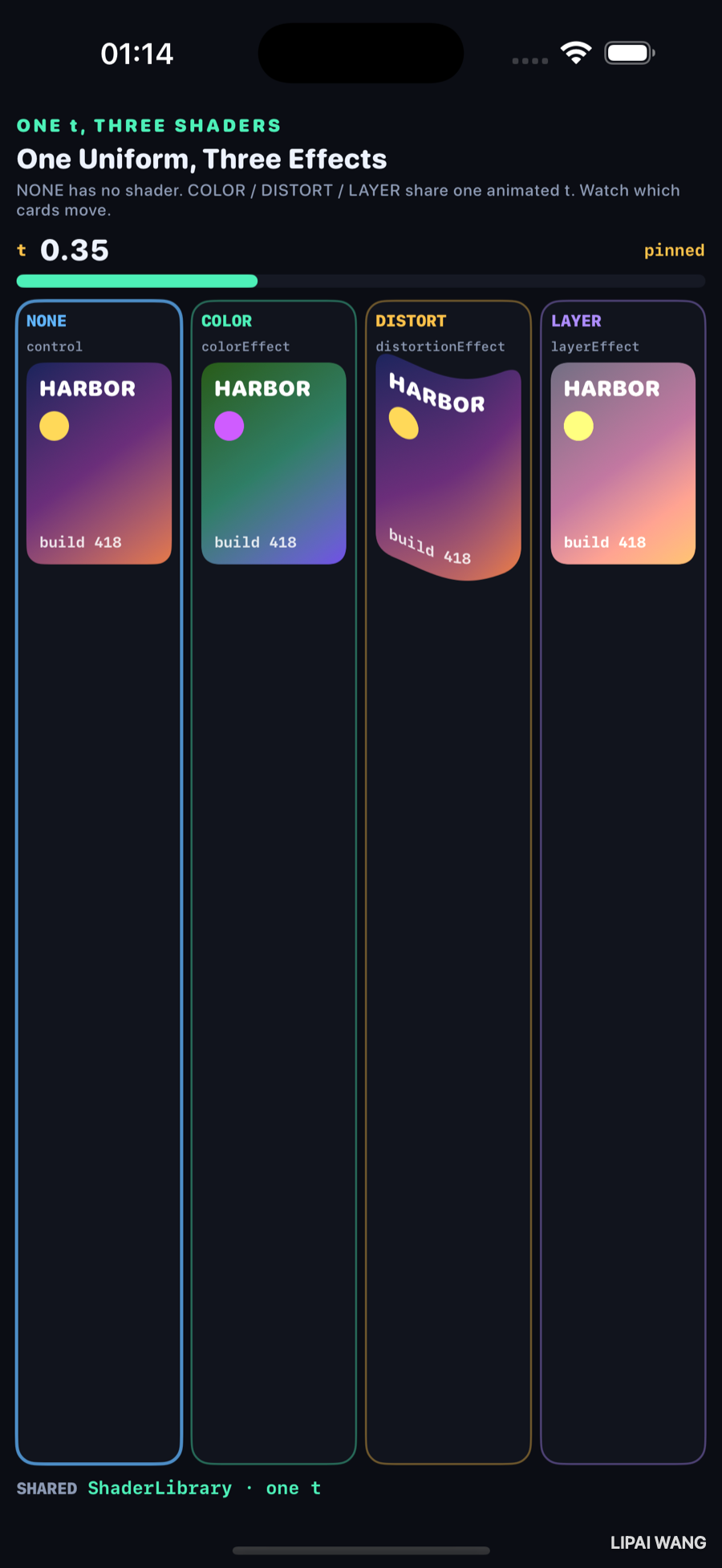
NONE is still the dusk card. COLOR has rotated — blue/green gradient, purple beacon. DISTORT keeps the original hues but warps the glyph. LAYER lifts highlights.
t = 0.70
-mode t70
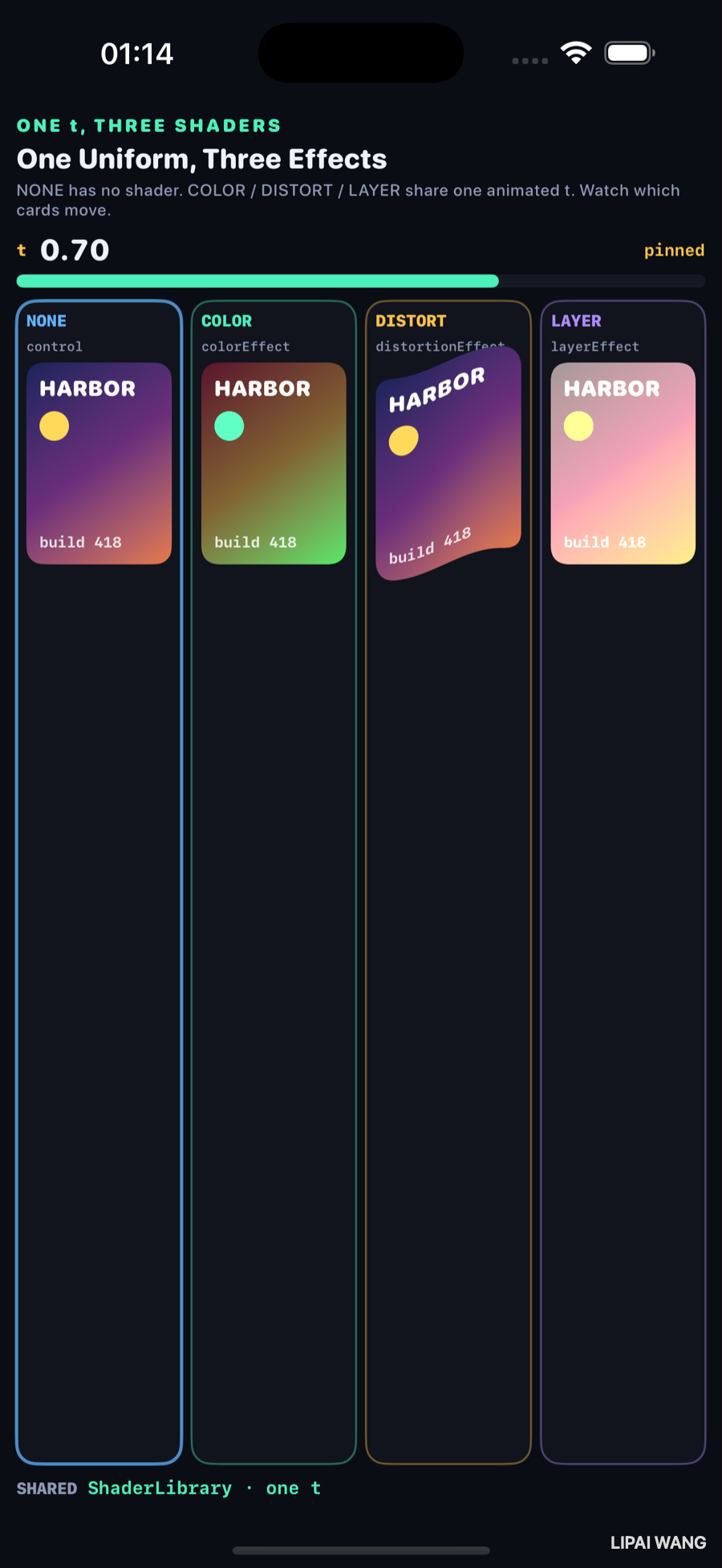
| Column | Observed at t = 0.70 |
|---|---|
| NONE | unchanged purple→orange (control) |
| COLOR | green/brown shift, light-green beacon |
| DISTORT | geometry wavy; hues like NONE |
| LAYER | pastel pink→cream, pale beacon |
.colorEffect(ShaderLibrary.harborHue(.float(t)))
.distortionEffect(ShaderLibrary.harborWave(.float(t)), maxSampleOffset: …)
.layerEffect(ShaderLibrary.harborGlow(.float(t)), maxSampleOffset: .zero)
Three [[ stitchable ]] functions in LabShaders.metal. One t from the bench.
colorEffect rewrites a color. distortionEffect rewrites a sample position. layerEffect may sample the view’s layer. NONE proves the card itself is not animating in SwiftUI — only the shaders that read t.
Mini-exercise
Pass 1 - t into DISTORT only. COLOR and LAYER should still track the meter; DISTORT should run out of phase.
Challenges
- Add a fifth column that stacks
colorEffectthendistortionEffecton the same card. - Drive
twithTimelineView(.animation)instead ofasyncAfter. - Visualize
maxSampleOffsetby drawing a hairline inset on the DISTORT card. - Port
harborHueto a Metal Performance Shader graph and compare stills. - XCUITest: assert the
tlabel shows0.70under-mode t70.
Key Points
- Observed pins: t = 0.00, 0.35, 0.70.
- NONE never changes — that is the control.
- COLOR matches NONE at 0; hues diverge as
trises. - DISTORT waves even at 0 — phase is what
tbuys. - LAYER brightens with
tvia sample-then-lift. - One
ShaderLibraryuniform can feed three different effect kinds.
Next up: Charts — the same dataset drawn honestly and misleadingly, side by side.
Read next
Ship your apps faster
When you're ready to publish your Swift app to the App Store, Simple App Shipper handles metadata, screenshots, TestFlight, and submissions — all in one place.
Try Simple App Shipper