A filter chain is easy to hide inside one UIImage. This bench refuses to hide it.
One Harbor still. Four columns. ORIGINAL is the control — no CIFilter. Everything to its right takes the previous CIImage as input. Sepia intensity is the live knob.
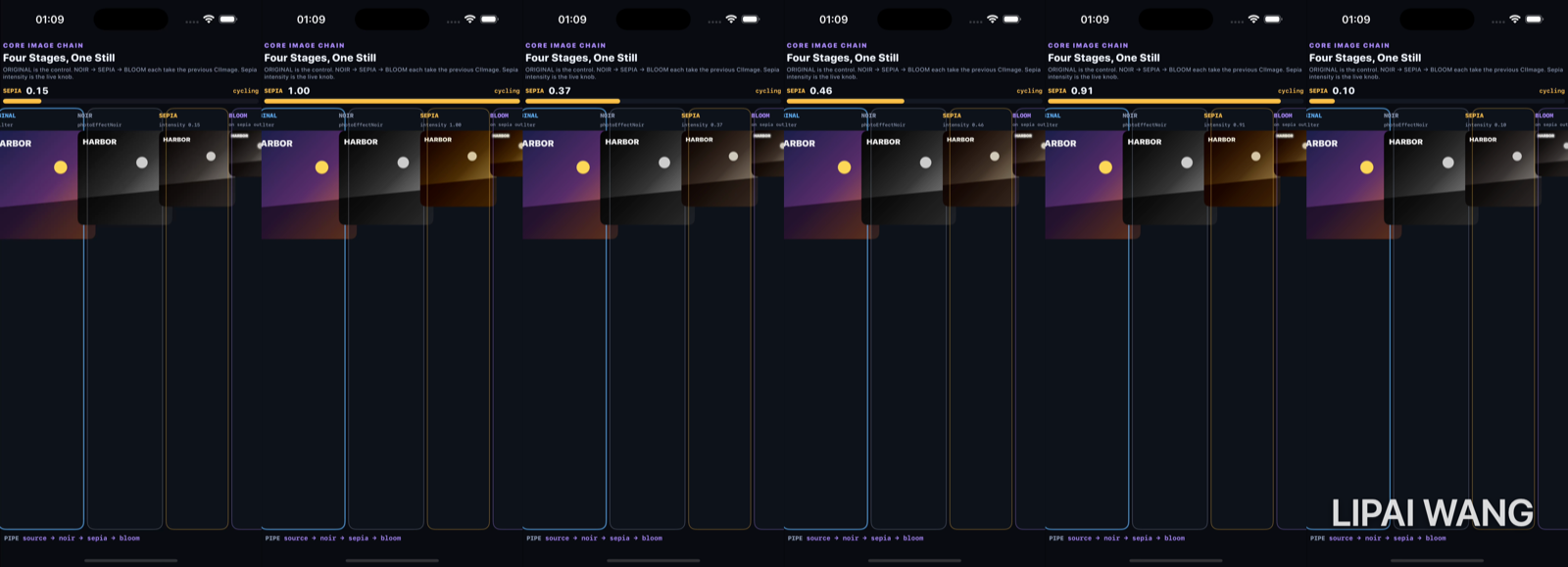
Rest — sepia 0.15
-mode rest
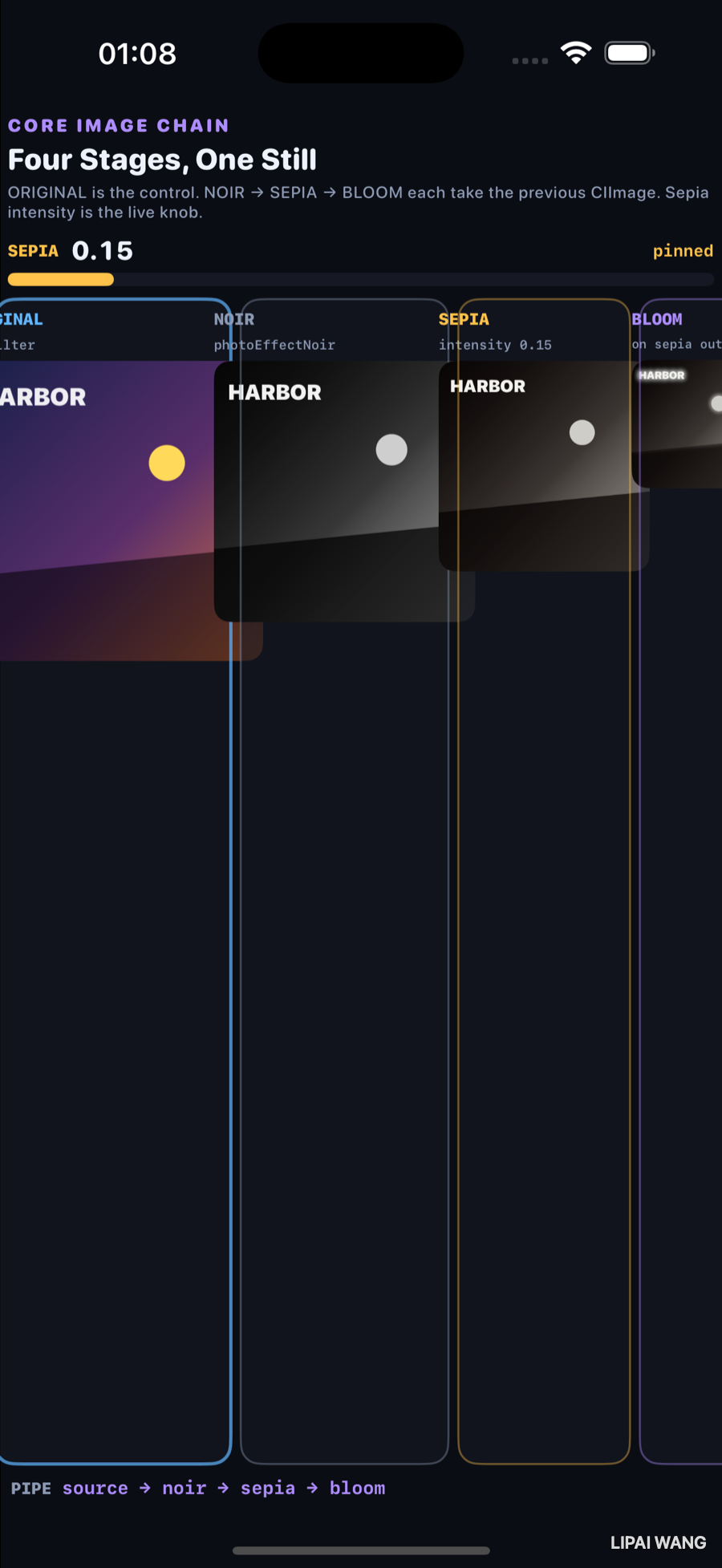
ORIGINAL keeps the dusk gradient and yellow beacon. NOIR is grayscale. SEPIA at 0.15 is only a hint of warmth on that grayscale. BLOOM softens the highlights of that sepia output.
Mid — sepia 0.55
-mode mid
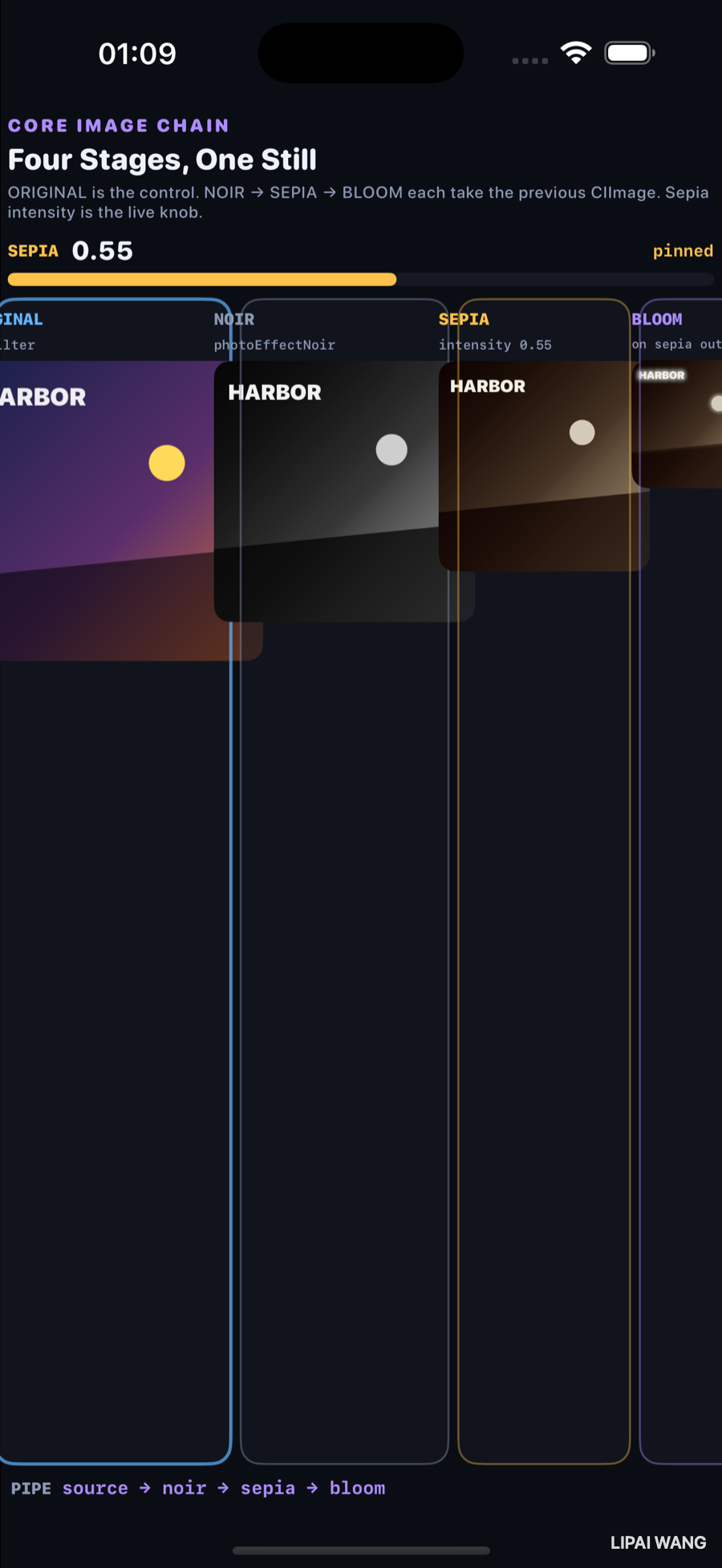
ORIGINAL and NOIR do not move — they do not read the sepia knob. SEPIA and BLOOM both warm because bloom is fed by sepia’s output, not by the original.
Hot — sepia 1.00
-mode hot
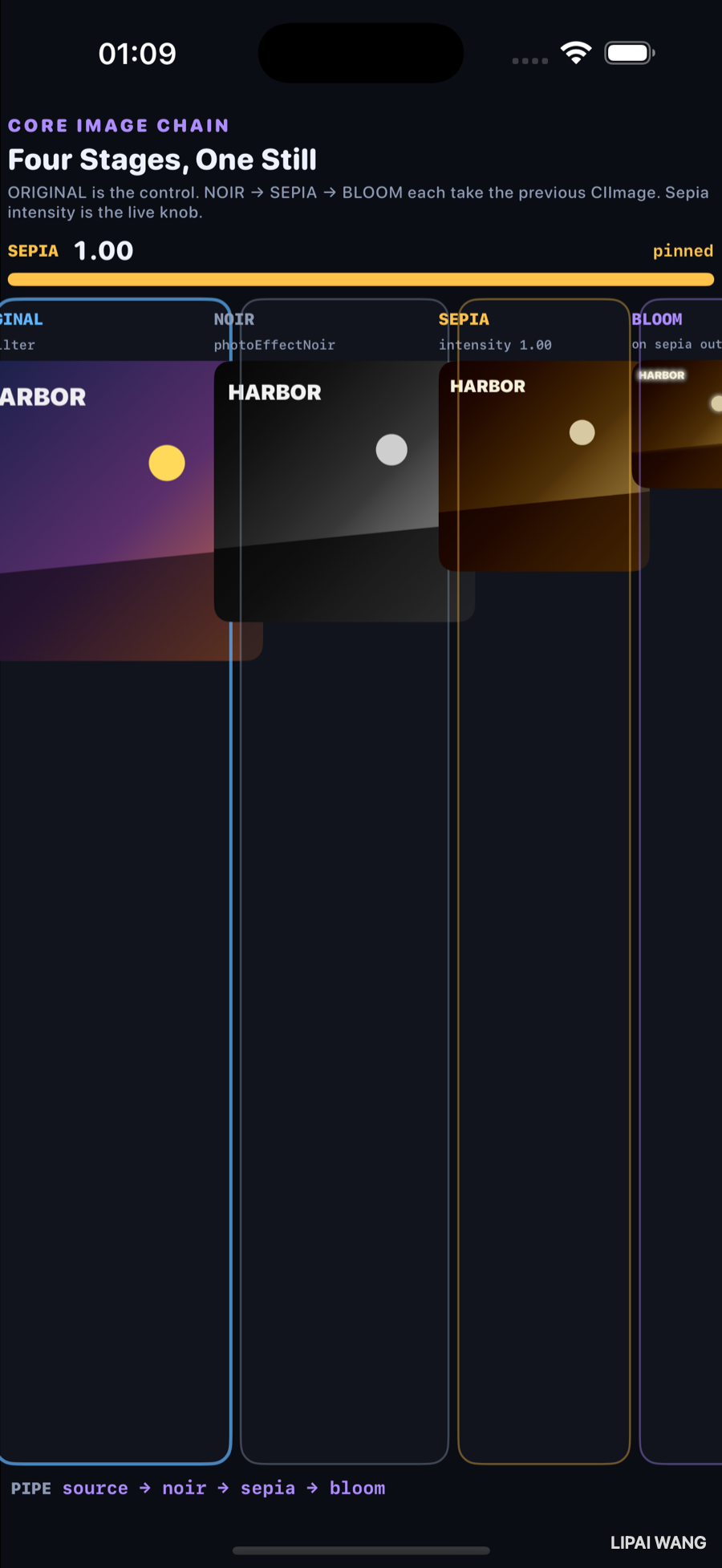
| Stage | Filter | Observed |
|---|---|---|
| ORIGINAL | none (control) | full-color Harbor still |
| NOIR | photoEffectNoir | grayscale |
| SEPIA | sepiaTone @ 1.00 | full brown on noir |
| BLOOM | bloom on sepia out | glow on text + beacon |
noir.inputImage = original
sepia.inputImage = noir.outputImage
sepia.intensity = Float(sepiaAmount)
bloom.inputImage = sepia.outputImageSepia-after-noir is not noir-after-sepia. The strip makes the order a picture: if ORIGINAL ever gained a tint when the knob moved, the control would be lying.
Mini-exercise
Swap the chain so sepia runs on the original and noir runs after. Capture -mode hot and compare the SEPIA column to today’s brown-on-gray.
Challenges
- Add a fifth stage:
CIColorControlscontrast on bloom output. - Show a parallel strip that applies each filter to ORIGINAL independently (not cumulative) and label the difference.
- Drive sepia from a
TimelineViewinstead ofDispatchQueueasyncAfter. - Export the BLOOM stage to the photo library via
CIContext.writePNGRepresentation. - Unit-test that ORIGINAL’s rendered pixels match the source when sepia is 1.0.
Key Points
- Observed SEPIA pins: 0.15, 0.55, 1.00.
- ORIGINAL never tints — that is the control.
- Each stage’s
inputImageis the previous stage’soutputImage. - Bloom crops back to the source extent after radius expansion.
- Live intensity proves which columns depend on the knob.
- Filter order is a product decision, not a detail.
Next up: Metal shaders in SwiftUI — colorEffect / distortionEffect / layerEffect on the same view, one uniform.
Read next
Ship your apps faster
When you're ready to publish your Swift app to the App Store, Simple App Shipper handles metadata, screenshots, TestFlight, and submissions — all in one place.
Try Simple App Shipper