Chapter 7 asked what happens when a parent offers a width. This chapter asks who answers.
A custom Layout calls sizeThatFits on every chip, then places them. A plain HStack gets the same chips and never wraps — that is the control.
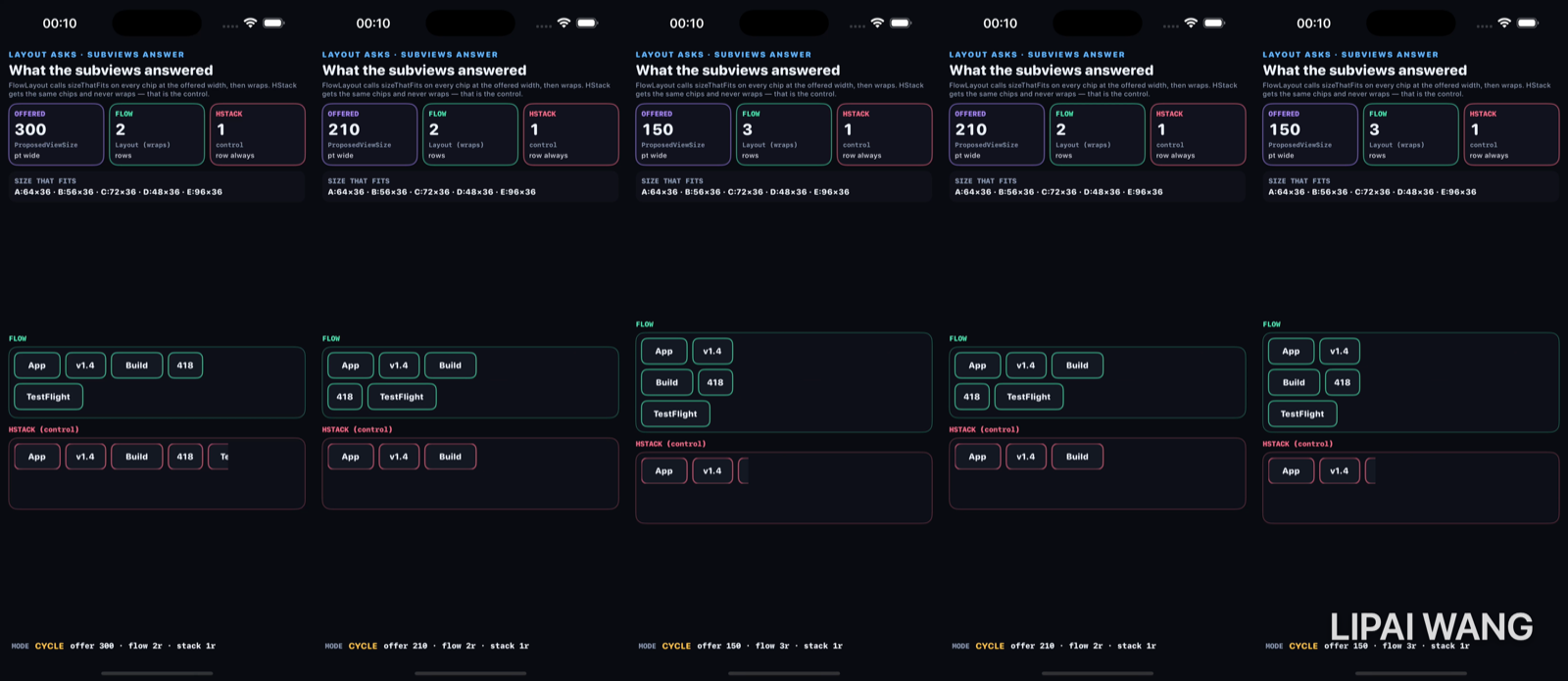
The answers (every offer)
A:64×36 · B:56×36 · C:72×36 · D:48×36 · E:96×36Those are what each chip reports from sizeThatFits(.unspecified). The offer changes; the answers do not.
Wide — 300 pt → 2 rows
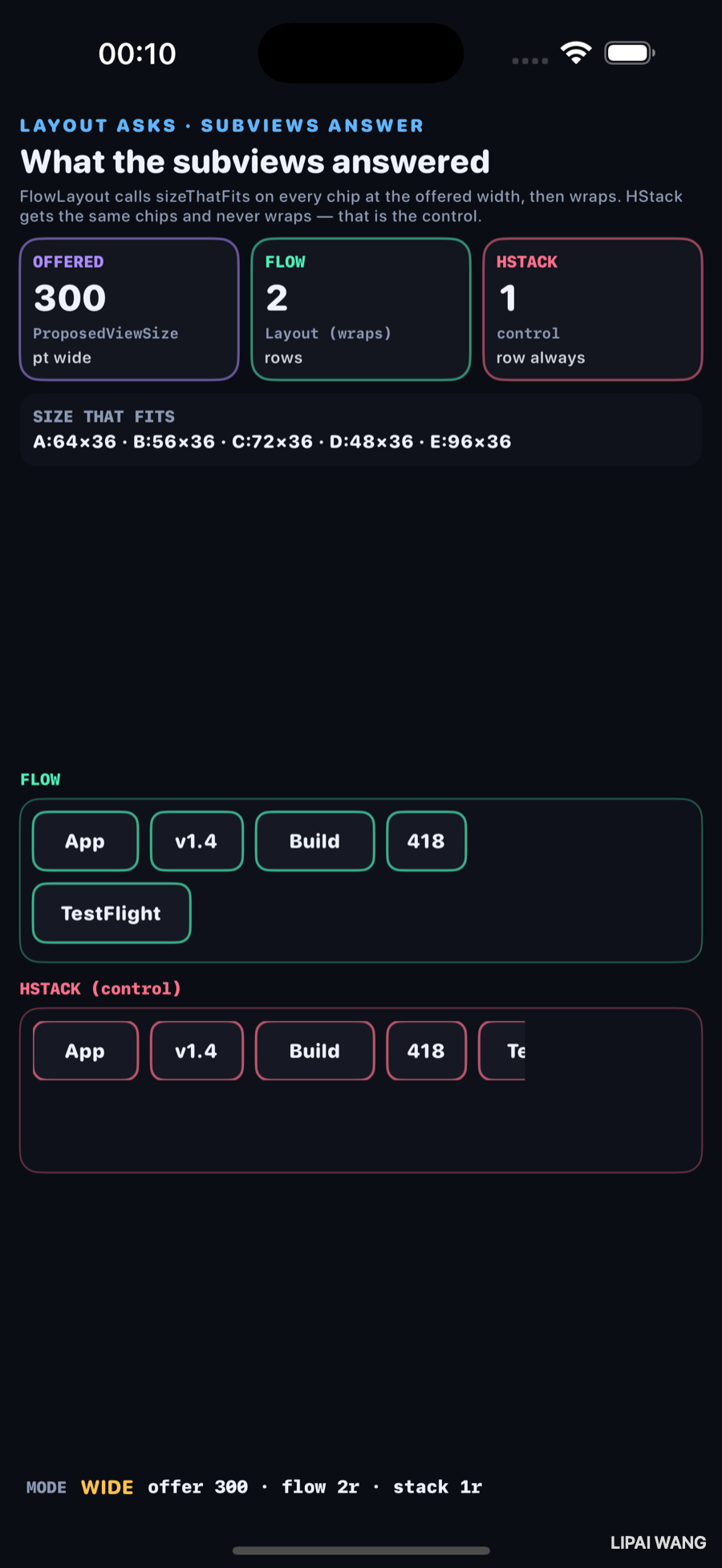
| Card | Observed |
|---|---|
| OFFERED | 300 pt |
| FLOW | 2 rows |
| HSTACK | 1 row (clipped) |
FLOW fits App · v1.4 · Build · 418, then wraps TestFlight. HSTACK keeps one row and clips Te….
Mid — 210 pt → still 2 rows, earlier wrap
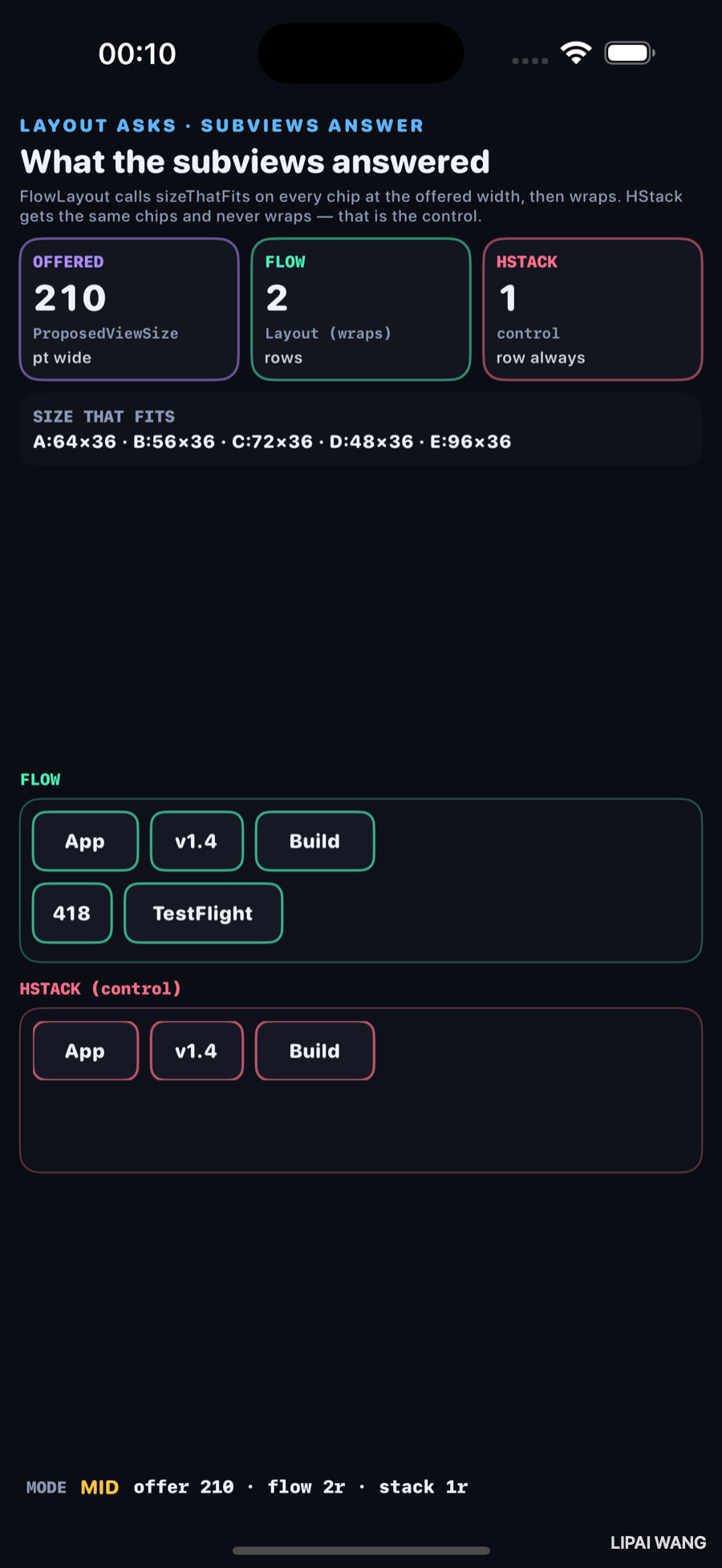
| Card | Observed |
|---|---|
| OFFERED | 210 pt |
| FLOW | 2 rows |
| HSTACK | 1 row |
Row 1 stops after Build (192 pt of chips). 418 and TestFlight take row 2.
Narrow — 150 pt → 3 rows
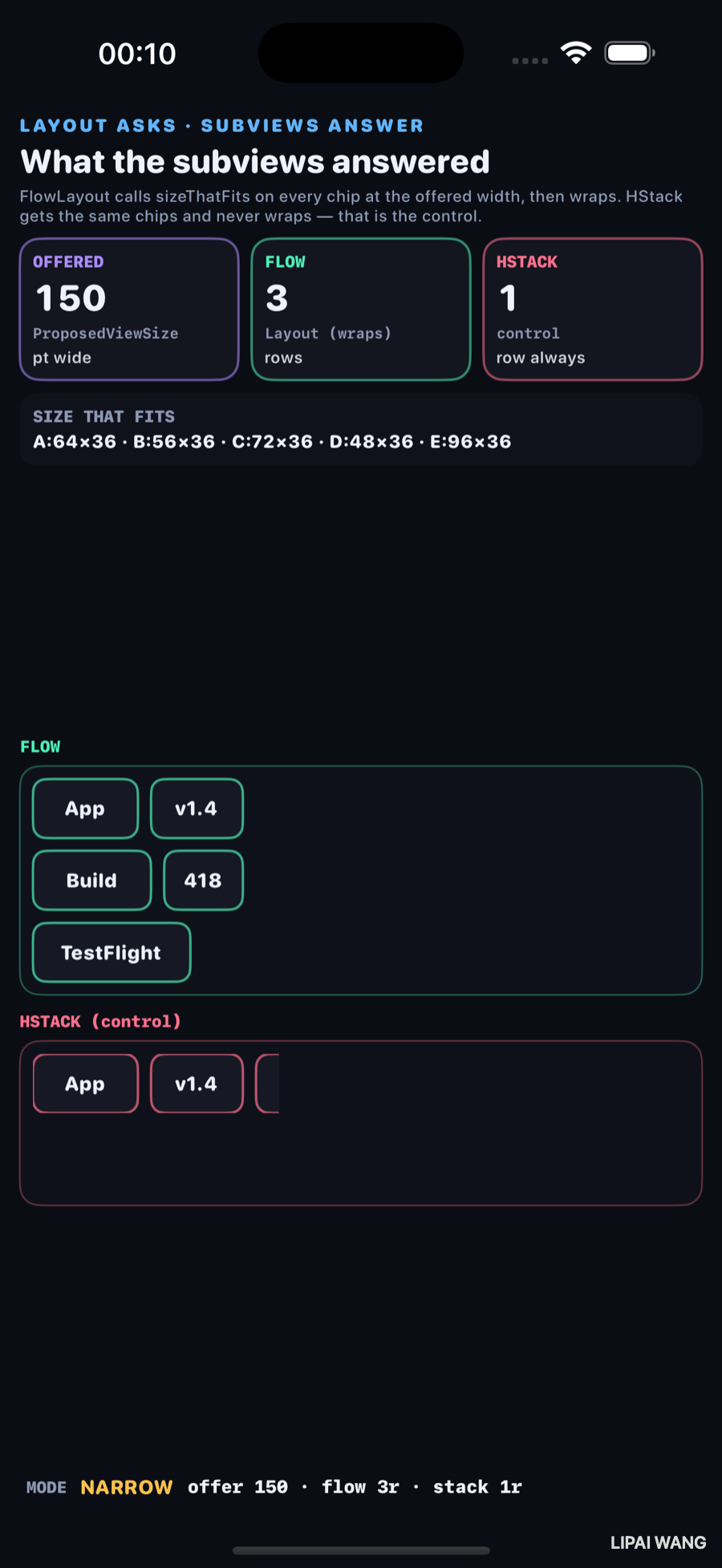
| Card | Observed |
|---|---|
| OFFERED | 150 pt |
| FLOW | 3 rows |
| HSTACK | 1 row |
struct ShipFlowLayout: Layout {
  func sizeThatFits(proposal: ProposedViewSize, subviews: Subviews, cache: inout ()) -> CGSize { … }
  func placeSubviews(in bounds: CGRect, proposal: ProposedViewSize, subviews: Subviews, cache: inout ()) { … }
}
Inside arrange, each subview answers with subview.sizeThatFits(.unspecified). If x + size.width would exceed proposal.width, the layout resets x and starts a new row.
The rose panel is the control on purpose. Same chips, same offer, 1 row always, content clipped. Wrapping is not free — you write it in placeSubviews.
Negotiation printed what candidates took from an offer. This bench prints what a Layout heard (ProposedViewSize) and what subviews answered (sizeThatFits) before placement.
Mini-exercise
Change chip E from 96 to 40. At offer 300, FLOW should drop to 1 row. Re-capture mentally: 64+56+72+48+40 + spacers fits under 300.
Challenges
- Add
cachethat stores the arrange result sosizeThatFitsandplaceSubviewsshare one pass. - Honor a vertical proposal — if height is tight, stop placing and report truncated count on a card.
- Replace fixed chip widths with
Textthat sizes from content and photograph new answers. - Put
ShipFlowLayoutbesideLazyVGridwith two columns and compare row counts at 150 pt. - XCUITest: after
-mode narrow, assert text containsOFFERED/150andFLOW/3.
Key Points
Layoutasks withProposedViewSize; subviews answer withsizeThatFits.- Observed answers: A 64×36 · B 56×36 · C 72×36 · D 48×36 · E 96×36.
- Observed FLOW rows: 2 at 300, 2 at 210, 3 at 150.
- Observed HSTACK: 1 row at every offer (clipped).
- Wrapping is explicit in
placeSubviews, not automatic. - HStack is the control that proves wrapping is not free.
- Direct sequel to ch7's offered-width board — now the container is custom.
- Footer line offer N · flow Nr · stack 1r is the still's checksum.
Next up: testing SwiftUI — a view model tested in isolation vs the same behaviour through XCUITest, reusing the ch8 harness.
Read next
Ship your apps faster
When you're ready to publish your Swift app to the App Store, Simple App Shipper handles metadata, screenshots, TestFlight, and submissions — all in one place.
Try Simple App Shipper