SwiftUI talks in two directions.
Down the tree: a parent writes a value into the environment and descendants read it. Up the tree: children publish measurements through a PreferenceKey and an ancestor rolls them up. This bench runs both on one screen and puts a control next to each.
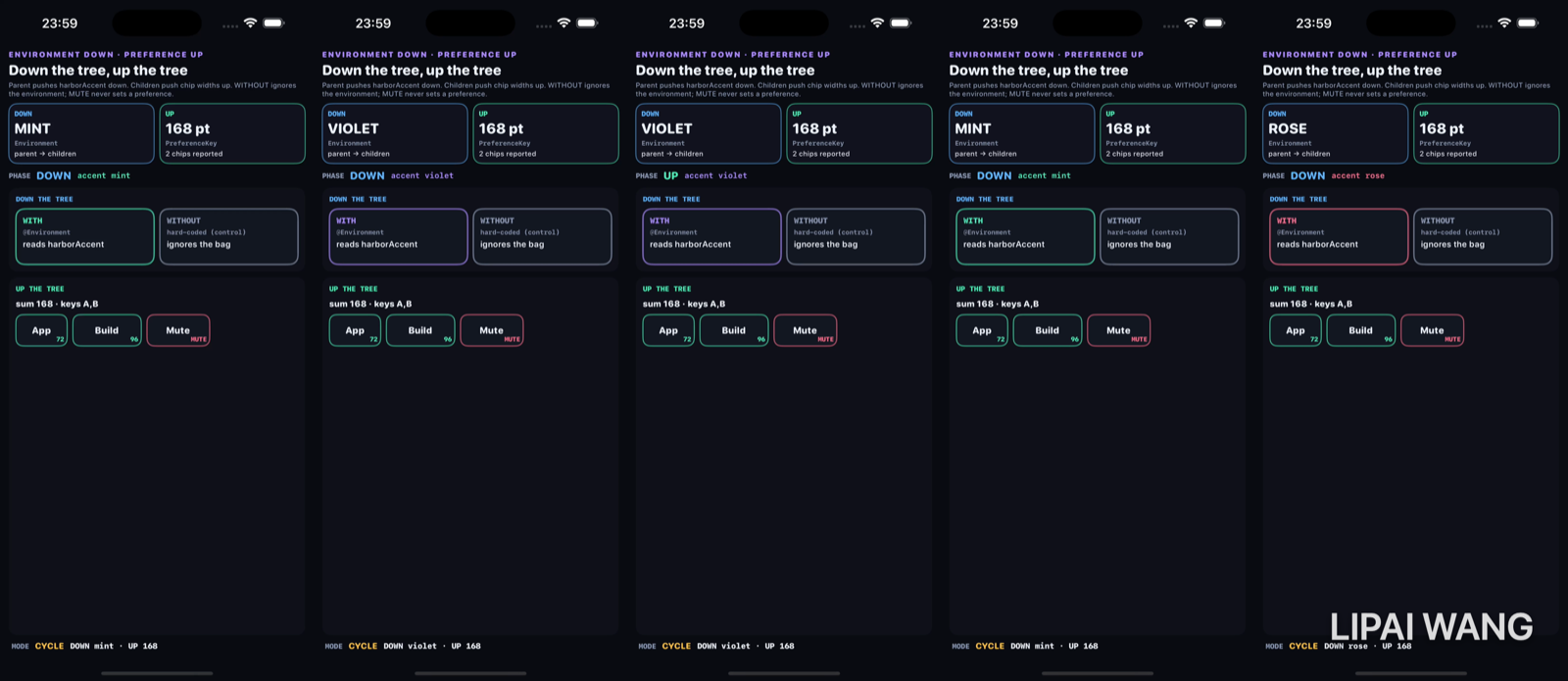
Down — mint
.environment(\.harborAccent, accent.color)

struct WithAccentLeaf: View {
  @Environment(\.harborAccent) private var accent
  // …
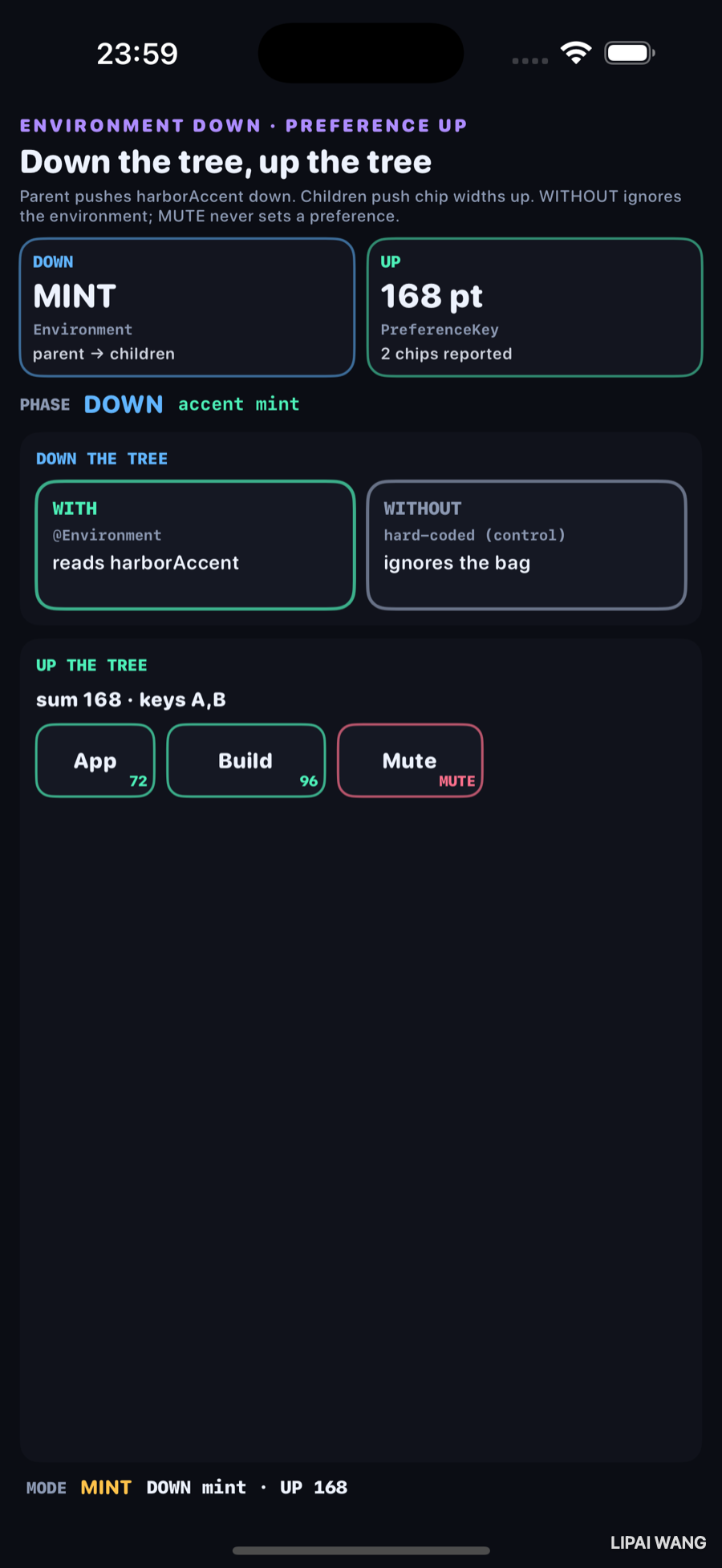
}
| Direction | Observed |
|---|---|
| DOWN | MINT — WITH border follows; WITHOUT stays gray |
| UP | 168 pt · 2 chips · keys A,B |
App reports 72, Build 96, Mute shows MUTE. 72 + 96 = 168.
Down — rose (same control)
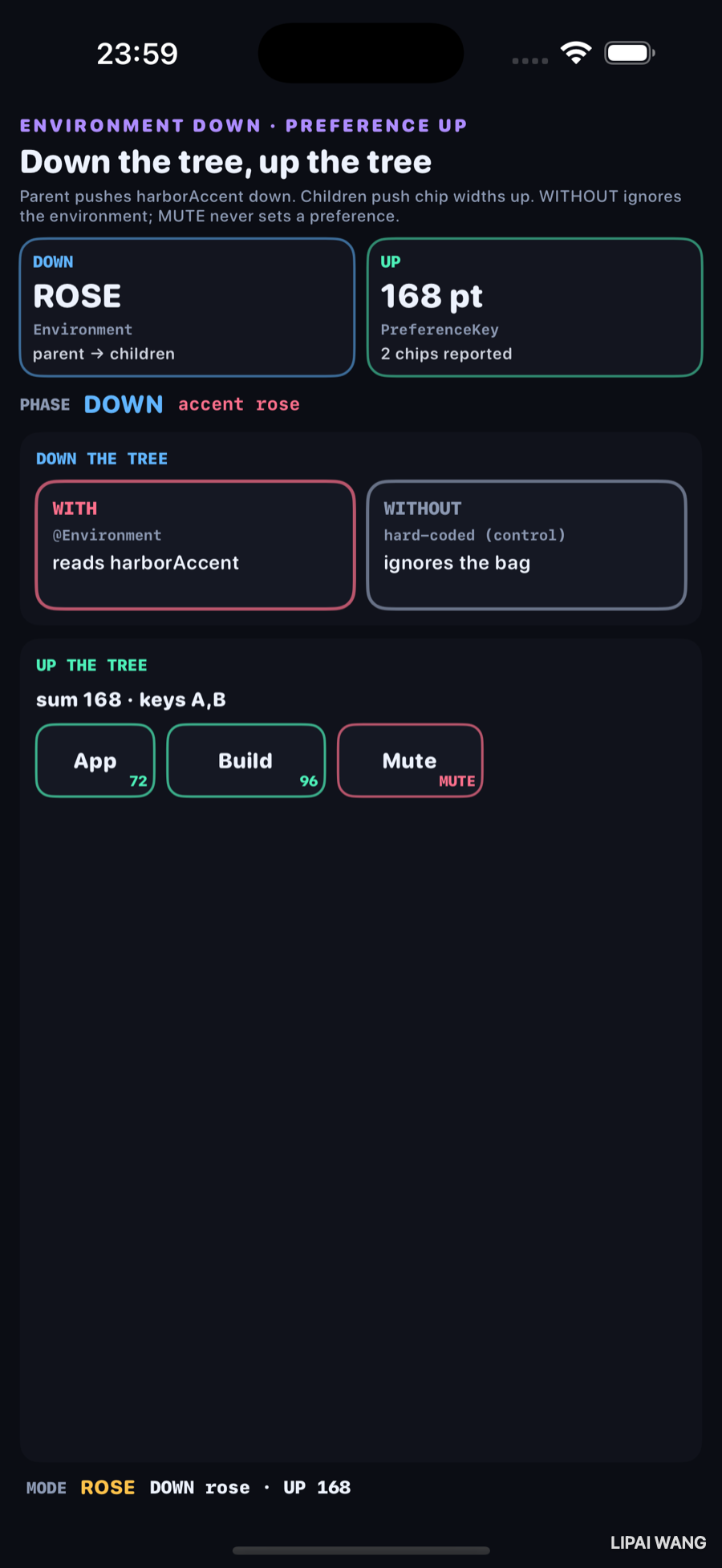
DOWN ROSE. WITH picks up the new accent. WITHOUT is still the hard-coded gray control — it never asked @Environment(\.harborAccent).
HarborAccentKey supplies a default (Lab.dim). .environment(\.harborAccent,) overrides it for that subtree. @Environment(\.harborAccent) subscribes. No prop drilling.
Up — the roll-up
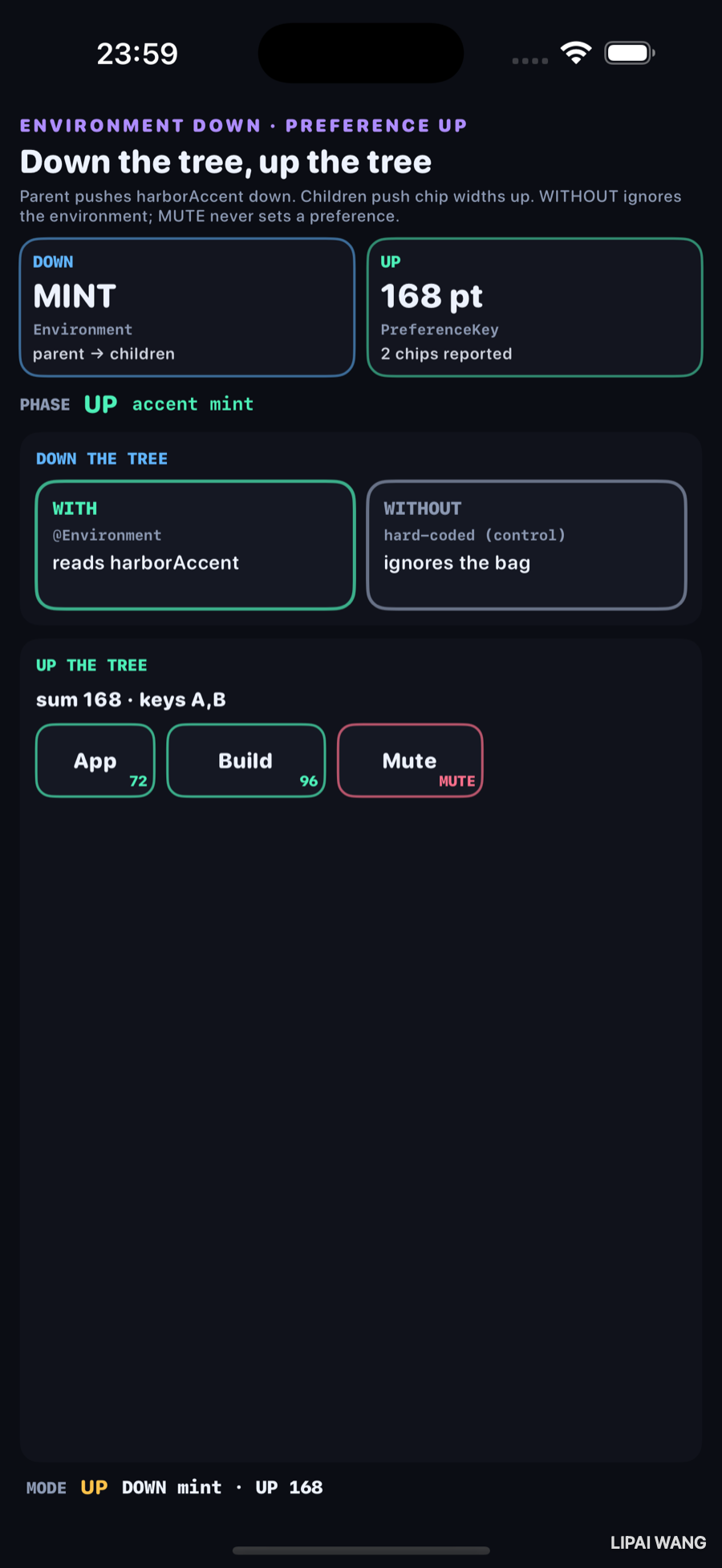
.preference(key: ChipWidthKey.self, value: [id: geo.size.width])

.onPreferenceChange(ChipWidthKey.self) { reported = $0 }| Chip | Width | Reports? |
|---|---|---|
| App (A) | 72 | yes |
| Build (B) | 96 | yes |
| Mute | — | no (control) |
Observed roll-up: sum 168 · keys A,B. Mute never enters the dictionary.
Both directions at once
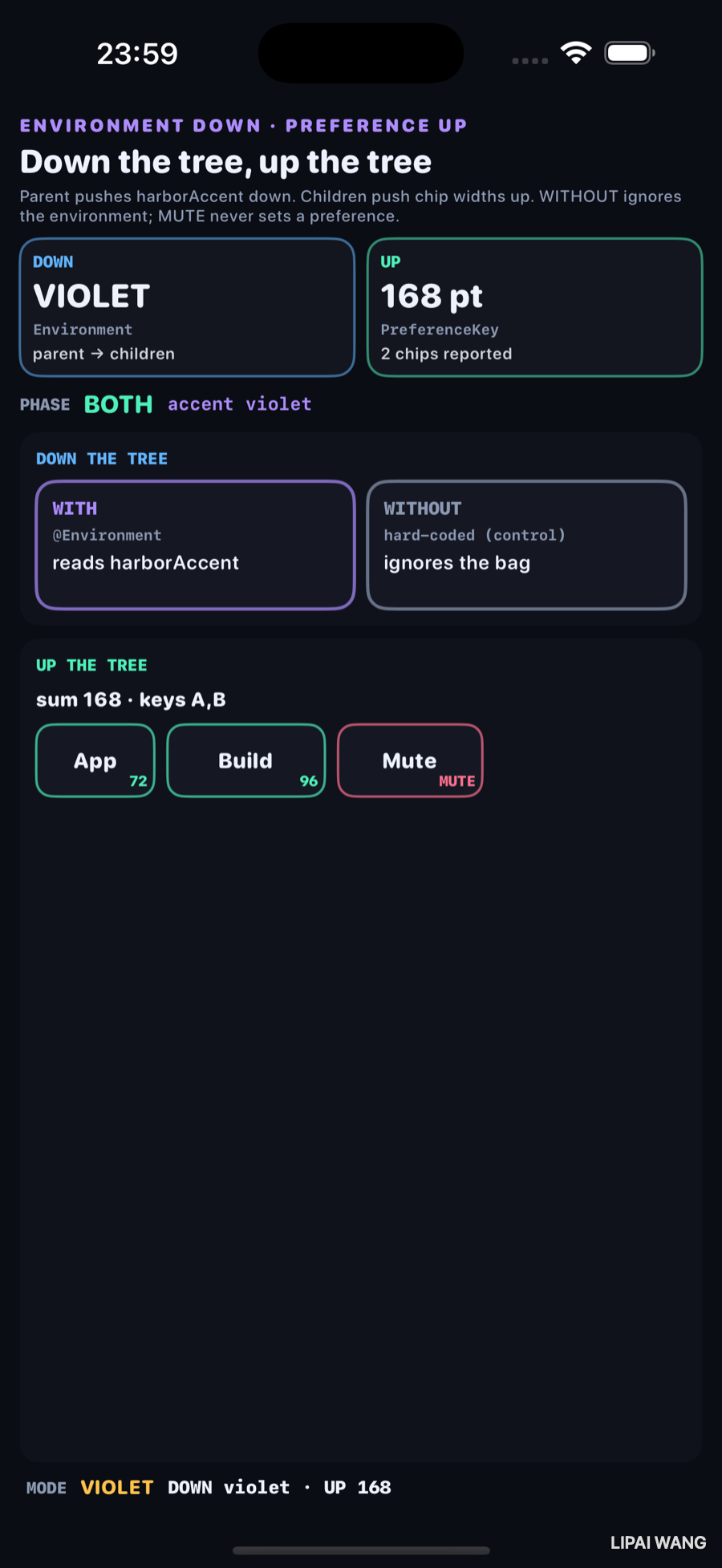
PHASE BOTH, accent violet. DOWN card VIOLET, UP card still 168 pt / 2 chips. The two pipes do not fight — environment and preferences are different channels.
If every child reported, you would not see the reduce step fail open. Leaving Mute out of ChipWidthKey makes the short total visible: 72 + 96, not 72 + 96 + 88.
Mini-exercise
Set reports: true on Mute. Re-run. The UP card should move to 256 pt (168 + 88) and keys should include C.
Challenges
- Add a second custom environment value (
harborTitle) and show WITH reading both. - Change
ChipWidthKey.reduceto keep the max width instead of merging all keys — photograph the new UP number. - Use
anchorPreferenceto lift a chip's center and draw a line from the parent header to it. - Inject
.environment(\.harborAccent, .orange)only around WITH and prove WITHOUT still gray while a nested grandchild of WITH turns orange. - XCUITest: after
-mode rose, assert text containsROSEand168.
Key Points
- Environment travels down; preferences travel up.
- Observed accents: mint, rose, violet on WITH; WITHOUT stays gray.
- Observed preference sum: 168 pt from 72 + 96.
- Observed keys: A,B — Mute excluded.
EnvironmentKey+.environment+@Environmentis the down pipe.PreferenceKey+.preference+.onPreferenceChangeis the up pipe.- Controls: WITHOUT ignores the bag; MUTE never sets a preference.
- Chapter 7 negotiated size offers; this chapter moves named values and reported measurements along the tree.
Next up: custom Layout — a flow layout against Layout, printing the ProposedViewSize it receives and what each subview answers.
Read next
Ship your apps faster
When you're ready to publish your Swift app to the App Store, Simple App Shipper handles metadata, screenshots, TestFlight, and submissions — all in one place.
Try Simple App Shipper