Algorithms argue in big-O. This bench argues in CMP.
One fixed shuffle. Three instruments. Bubble is the control — it is allowed to be wasteful so the others have something to beat.
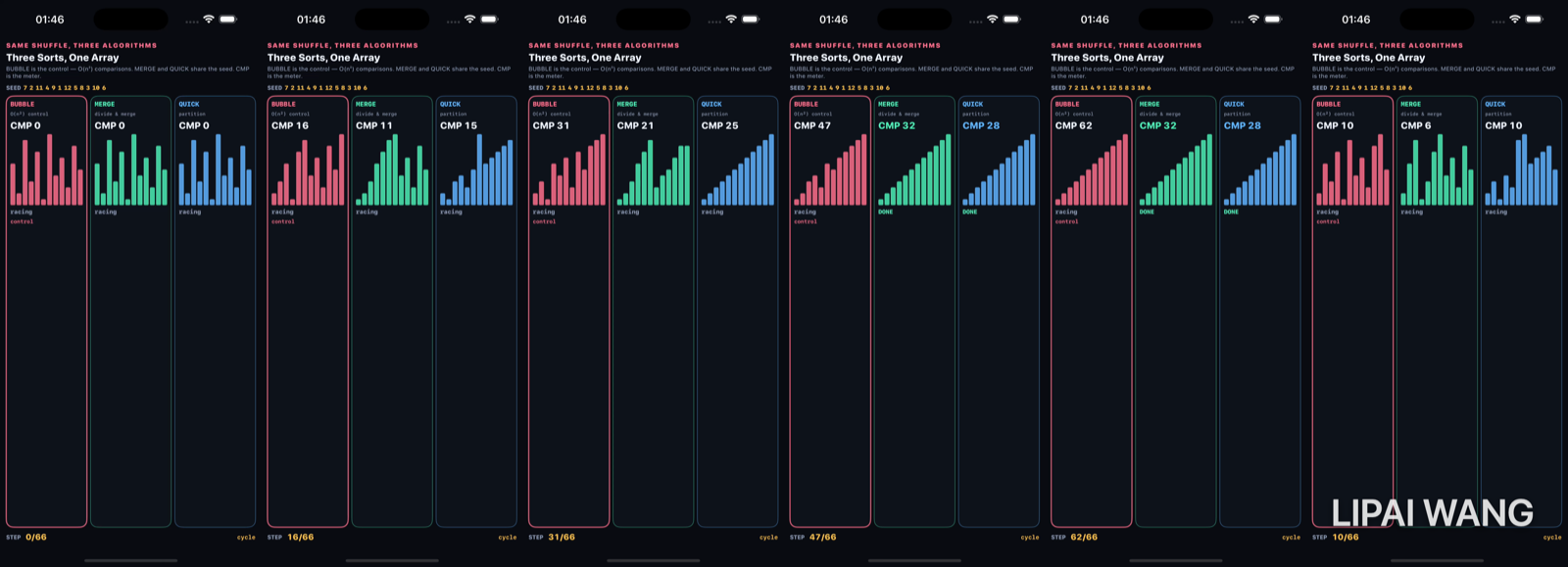
Start — identical bars
-mode start
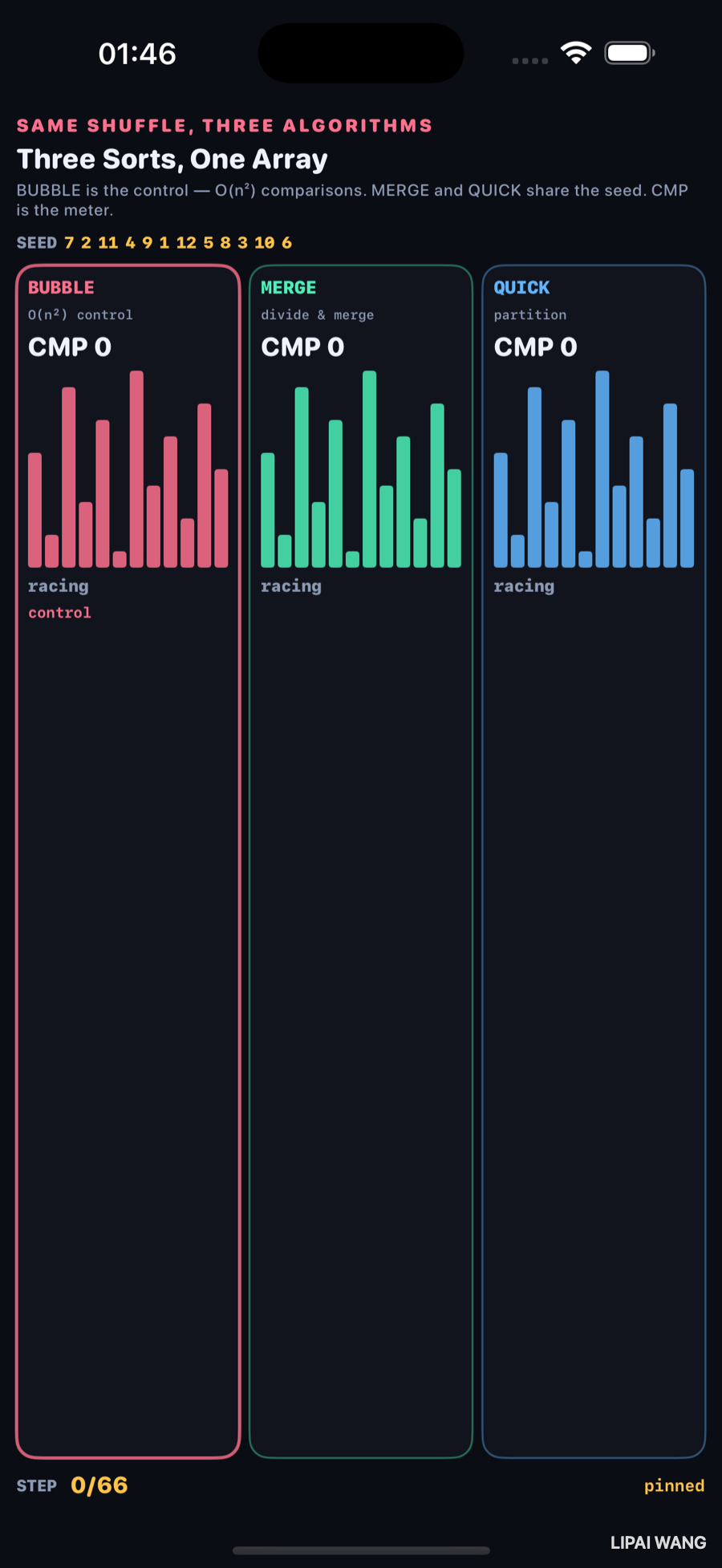
| SEED | 7 2 11 4 9 1 12 5 8 3 10 6 |
| STEP | 0 / 66 |
| CMP | 0 / 0 / 0 |
Mid — bubble still climbing
-mode mid → step 22 / 66
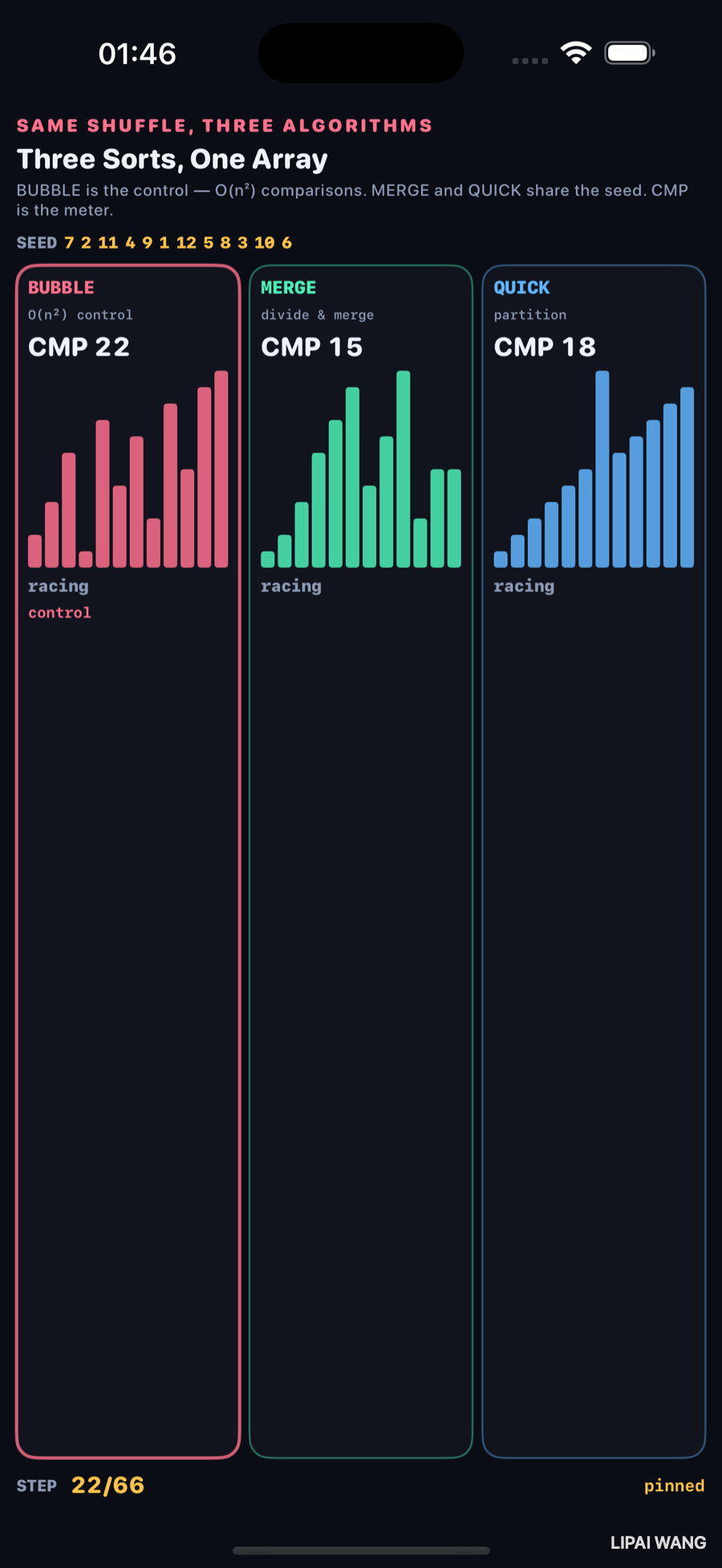
| Algorithm | CMP @ step 22 | Status |
|---|---|---|
| BUBBLE (control) | 22 | racing |
| MERGE | 15 | racing |
| QUICK | 18 | racing |
Same wall-clock step index. Bubble has already spent more compares than merge will need in total later.
Done — the meter that matters
-mode done
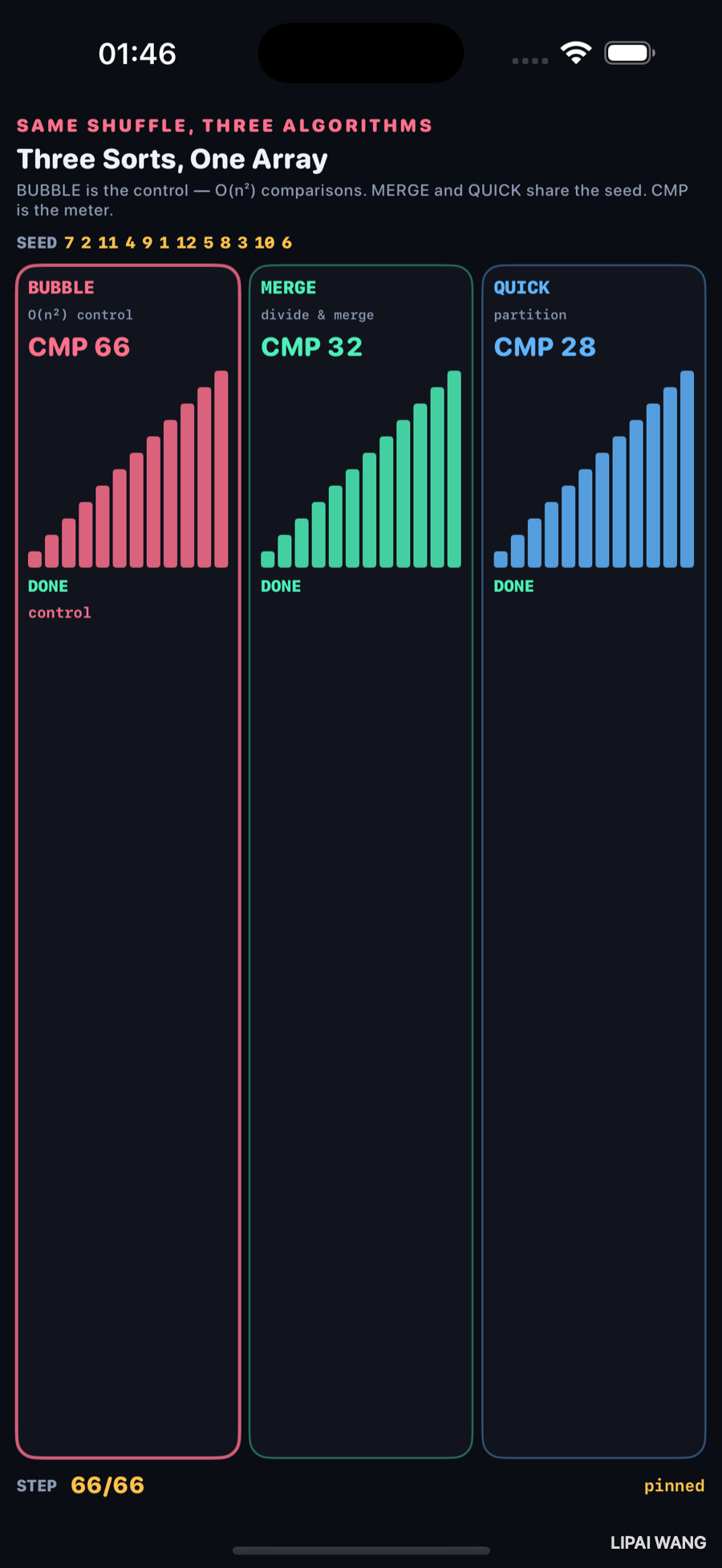
| Algorithm | Final CMP | |
|---|---|---|
| BUBBLE | 66 | control |
| MERGE | 32 | |
| QUICK | 28 |
All three bars read 1…12. Only the comparison counters disagree — and they disagree by more than 2×.
Bubble’s 66 is exactly 12×11/2 adjacent passes. Merge and quick land near n log n territory on this seed. The control is not “wrong” — it is the expensive baseline the chapter is about.
Mini-exercise
Reverse the seed to 12…1. Re-run -mode done and watch bubble’s CMP stay 66 while quick’s partition counts move.
Challenges
- Add insertion sort as a fourth column and compare its CMP to bubble.
- Instrument swaps separately and show SWAP beside CMP.
- Highlight the two indices involved in the latest comparison.
- Race on n = 32 and photograph how bubble’s frame count explodes.
- XCUITest: assert
CMP 66appears under-mode done.
Key Points
- Observed seed: 7 2 11 4 9 1 12 5 8 3 10 6.
- Observed mid (step 22): CMP 22 / 15 / 18.
- Observed done: CMP 66 / 32 / 28.
- Bubble is the control — same answer, more compares.
- CMP is the meter; sorted bars alone hide the cost.
- One shuffle shared across columns keeps the race fair.
Queue empty — the editorial list in lab-queue.json is cleared. Further Lab chapters need new queue entries.
Read next
Ship your apps faster
When you're ready to publish your Swift app to the App Store, Simple App Shipper handles metadata, screenshots, TestFlight, and submissions — all in one place.
Try Simple App Shipper