Architecture arguments are usually tribal. This bench makes them countable.
Same feature: bump Harbor’s build by one. Three ways to hold the state. A body-run counter on each panel — the ch6 meter, reused.
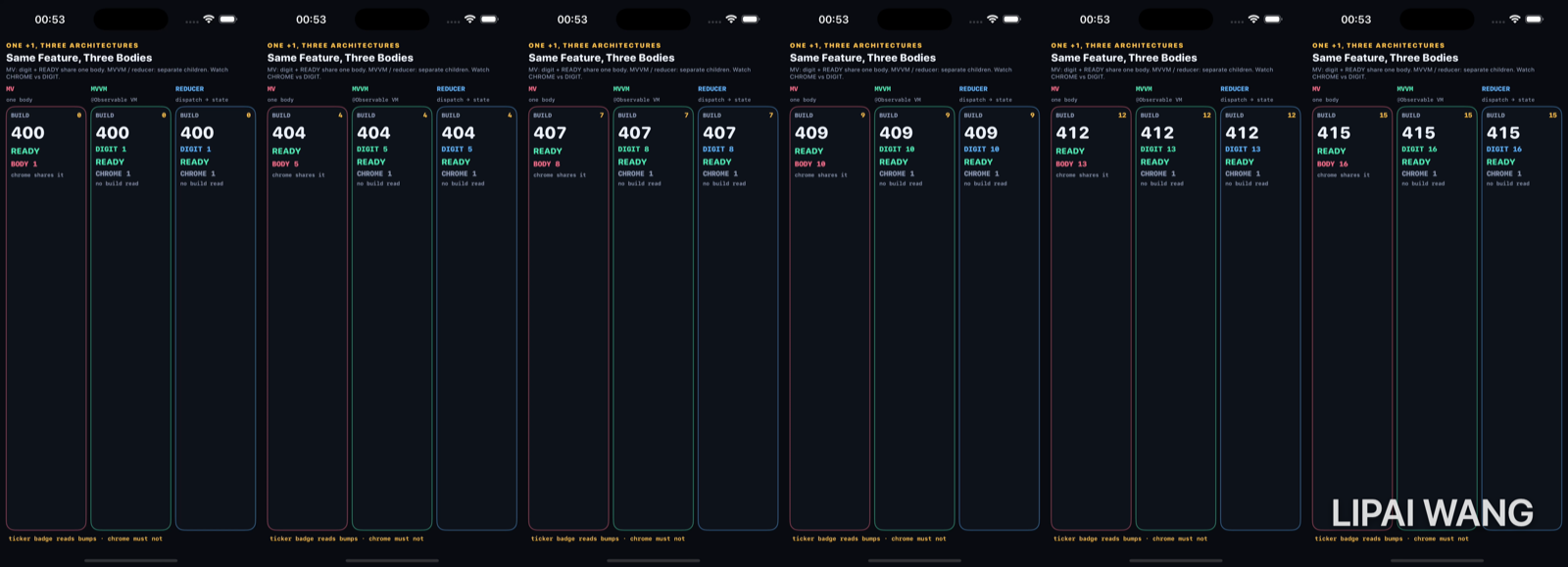
Midway — the split appears
After 1 bump (build 401):
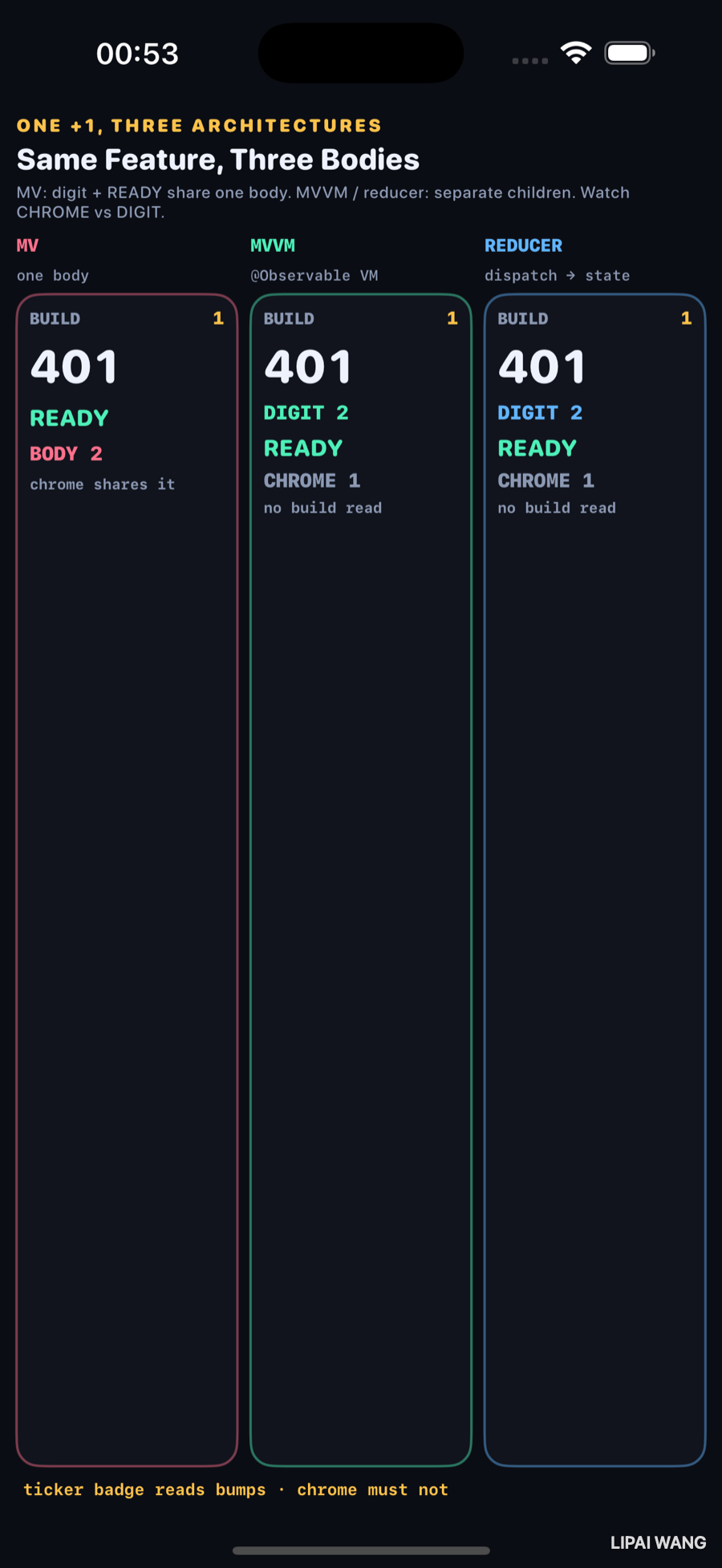
| Panel | Digit / body | Chrome |
|---|---|---|
| MV | BODY 2 | shares the same body |
| MVVM | DIGIT 2 | CHROME 1 |
| REDUCER | DIGIT 2 | CHROME 1 |
Settled — five bumps
-mode settle stops at five. Build 405 everywhere.
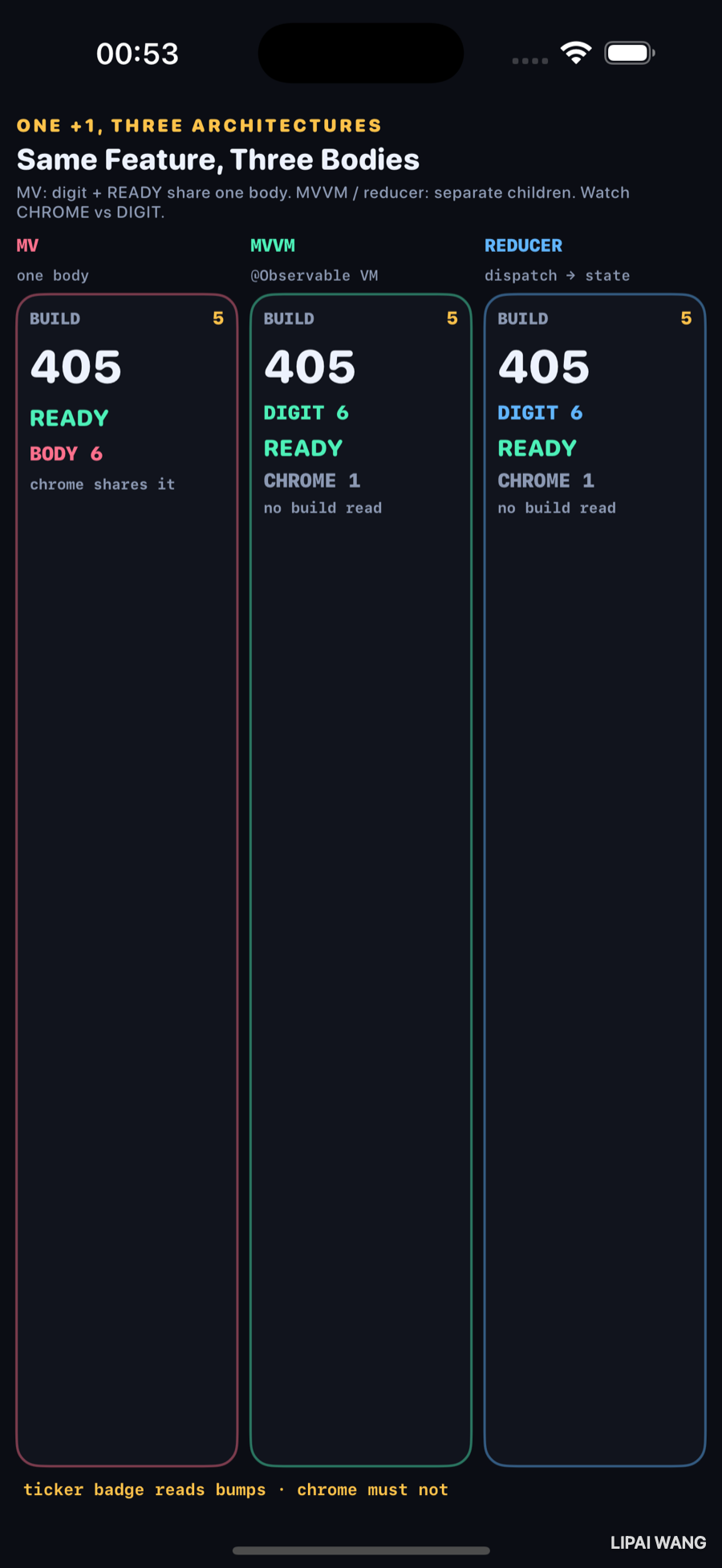
| Panel | After 5 bumps |
|---|---|
| MV | BODY 6 — READY chrome lives in that body |
| MVVM | DIGIT 6, CHROME 1 |
| REDUCER | DIGIT 6, CHROME 1 |
MVVM and the reducer match on the meter. The difference between them is where the next change goes (a bump() method vs dispatch(.increment) through shipGateReduce), not how often SwiftUI redraws a silent label.
What each column is
MV (control). @State var build and the READY label sit in one body. Every +1 re-runs the whole panel — chrome has nowhere else to live.
MVVM. @Observable ShipGateVM with bump(). A digit child reads vm.build. A chrome child reads nothing. Observation invalidates only the digit.
Reducer. @Observable ShipGateStore holds ShipGateState. dispatch(.increment) runs a pure shipGateReduce. Same child split as MVVM — unidirectional write path, same body-run story.
Putting bumps on the column’s @State made CHROME climb with DIGIT (both hit 6). The parent re-ran every tick and dragged chrome with it. The fix: an @Observable BumpTicker that only BumpBadge reads. Architecture cannot save you from a parent that invalidates everyone — ch6 again, in costume.
Mini-exercise
Add a CREW label in the MVVM chrome that reads vm.build. Watch CHROME start climbing with DIGIT. Remove the read; it freezes again.
Challenges
- Port the MV column to a UIKit
UIViewControllerthat mutates a model property — countviewDidLayoutSubviewsinstead of body runs. - Add a fourth column: VIPER-style presenter that pushes build into the view via a protocol; meter the view body only.
- Make the reducer log every action to an on-screen tape (ch12 style) without bumping chrome.
- Replace
@ObservableMVVM withObservableObject+@Publishedand compare chrome runs to ch6’s legacy row. - Drive all three columns from one shared ticker without letting the bench parent own per-bump
@State.
Key Points
- Observed mid (1 bump): MV BODY 2; MVVM/REDUCER DIGIT 2 / CHROME 1.
- Observed settle (5 bumps): MV BODY 6; MVVM/REDUCER DIGIT 6 / CHROME 1.
- MV is the control: chrome shares the body that reads build.
- MVVM and reducer can match on body runs when children isolate reads.
- Reducer uniqueness is the write path (
dispatch→ pure reduce), not the redraw count. - Parent
@Statebump counters can erase the split — tickers belong on leaves that read them. - Measure architecture with the same meter you use for observation (ch6).
Next up: images and memory — full-resolution vs downsampled thumbnails with a live memory readout.
Read next
Ship your apps faster
When you're ready to publish your Swift app to the App Store, Simple App Shipper handles metadata, screenshots, TestFlight, and submissions — all in one place.
Try Simple App Shipper